
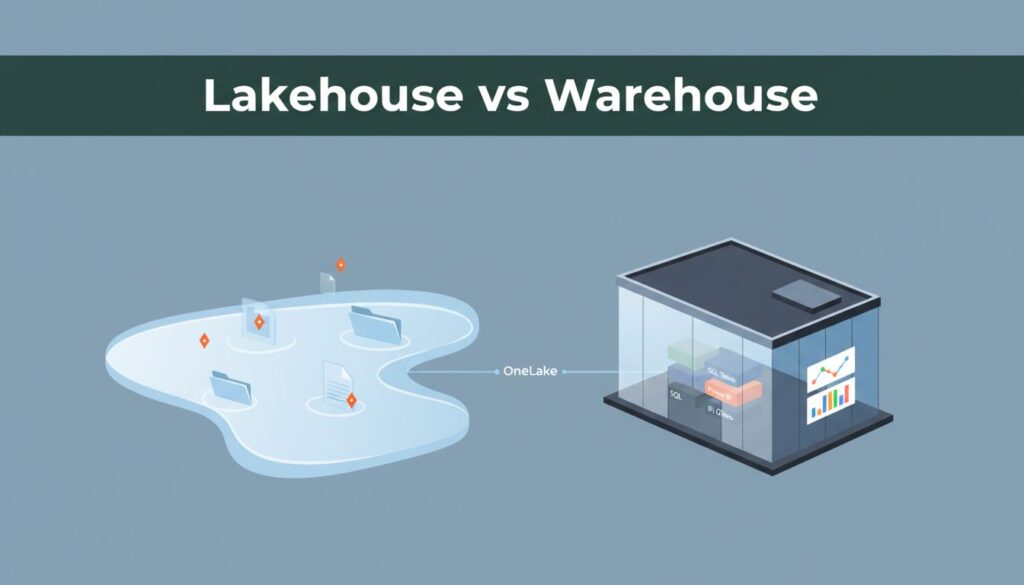
Picking the wrong data setup in Microsoft Fabric can waste months on data engineering, not days. For a lean team, the Fabric Lakehouse vs Warehouse choice matters because it shapes how you load data, build reports, and control costs.
The short answer is simple. If your data is messy and comes from many places, Lakehouse usually fits better. If your data is already clean and your team lives in SQL and Power BI, Warehouse is often the easier win.
Key Takeaways
- Lakehouse fits messy data from files, logs, and apps; drop raw inputs on OneLake and clean later with Spark, but it needs team discipline to avoid clutter.
- Warehouse excels at structured reporting with fast SQL, Power BI integration, and low upkeep—ideal if your team thinks in tables and known KPIs.
- Hybrid wins for small teams: Ingest raw data in Lakehouse, publish clean tables to Warehouse for BI, all on shared OneLake without duplication.
- Costs tie to capacity and optimization; Warehouse often runs leaner for repeated queries, but test your workload before committing.
- Choose by skills and sources—don’t overbuild; start simple to match your team’s daily flow and avoid maintenance headaches.
What Lakehouse and Warehouse mean in plain English
Think of a Lakehouse as a workbench. You can drop in raw CSV files, JSON exports, logs, and tables, then clean and shape them over time with tools like Apache Spark and Notebooks. Lakehouse tables are stored as Delta tables using Parquet files on OneLake. In Microsoft Fabric, it excels with unstructured data when your team collects data from many apps and not all of it arrives in neat rows and columns.
A Warehouse is more like a stockroom with labeled shelves. It expects structured data, and it shines when you need fast SQL queries, stable dashboards, and predictable reporting. Both options sit on OneLake, Fabric’s shared storage layer, but Warehouse adds a stronger SQL-first experience on top. Microsoft’s decision guide for Warehouse and Lakehouse makes that split pretty clear.
For small business teams, the real issue isn’t theory. It’s daily effort. Lakehouse gives you more freedom, but that freedom comes with more decisions. You need naming rules, folder habits, and some comfort with notebooks or Spark-based processing. Microsoft Fabric’s 2026 updates have improved team coding workflows and version history, which helps, but Lakehouse still feels more technical.
Warehouse asks less from the team at the start. If you already have a CRM, ERP, or finance system feeding structured data, you can load tables and move into reporting faster. It also supports fuller T-SQL behavior, including transaction-friendly database work with full multi-table transactions, while a Lakehouse SQL analytics endpoint is more limited for write-heavy database patterns and offers read-only access.
If your team thinks in files and pipelines, start with Lakehouse. If it thinks in tables and reports, start with Warehouse.
Where small teams feel the difference most
The biggest tradeoffs show up in five places: setup effort, maintenance, reporting, governance, and cost.
Lakehouse is flexible on day one with OneLake as the unified storage layer. You can land raw files fast and sort them later. That’s useful when a small team gets data from spreadsheets, web exports, email attachments, or SaaS tools with uneven formats. Still, flexibility can turn into clutter. If no one owns file structure and table quality, reporting slows down.
Warehouse is stricter, but that can be a good thing. Because it focuses on structured data, it’s easier to keep clean for repeat reporting. Your analyst can work in SQL, your BI lead can build Power BI models, and your team spends less time wondering which table is the right one.
Here’s the side-by-side view that matters most for small teams:
| What matters | Lakehouse | Warehouse |
|---|---|---|
| Setup effort | Fast for raw data intake | Fast for structured reporting |
| Ongoing upkeep | More process discipline needed | Easier to keep tidy |
| Reporting speed | Good after data is curated | Usually better for repeated SQL-heavy BI with Power BI integration that serves BI developers |
| Governance | Flexible, but more moving parts | Simpler for standard permissions and BI access |
| Schema enforcement | Flexible schemas | Strict schema enforcement |
| ACID compliance | Eventual consistency | Full ACID compliance |
| Budget fit | Can rise if jobs or file layout are inefficient | Often more efficient for steady reporting workloads |
Cost is where many teams hesitate. Fabric uses capacity-based billing, not a separate price tag for each storage type, so effective capacity management matters for Lakehouse and Warehouse alike.
Recent community benchmarks and field reports show Warehouse can use fewer compute resources for large repeated SQL queries due to the SQL engine performance, while Lakehouse can cost more if tables and files aren’t optimized.
For current planning assumptions, this 2026 Fabric pricing guide gives a useful breakdown, but check your own workload before locking in a budget.
If you want a practical, field-tested view on Microsoft Fabric, this PowerBI.tips comparison captures where teams often overbuild.
When to choose Lakehouse, Warehouse, or a hybrid approach
A Lakehouse makes sense when your inputs are messy. Picture a 25-person e-commerce company pulling Shopify exports, ad platform CSVs, support logs, and product files using Shortcuts and Mirroring to bring data in without moving it. The team needs one place to land all of it with Dataflows for ingestion, clean it using PySpark for complex processing, and reuse it later, especially for machine learning. That’s a Lakehouse problem first, reporting problem second.
A Warehouse fits better when the business mostly asks known questions. Think of a regional service company with a CRM, a finance system, and weekly KPI dashboards. The analyst already knows T-SQL. Leaders want stable numbers, not experimental data science. In that case, Warehouse is usually the simpler path.
For many small teams, the smartest answer is both. A distributor might ingest vendor files and raw order feeds into a Lakehouse using the Medallion architecture, then publish trusted sales and margin tables to a Warehouse for dashboards and self-service reporting.
Because both live in Microsoft Fabric and OneLake with OneCopy, a hybrid setup doesn’t mean two separate platforms or data duplication.
Use this quick matrix to make the call:
| Your situation | Best fit |
|---|---|
| You collect lots of files, logs, exports, or semi-structured data | Lakehouse |
| You need clean T-SQL reporting with low maintenance | Warehouse |
| You need both raw-data intake and polished BI tables | Hybrid |
The takeaway is straightforward. Lakehouse is the flexible front room. Warehouse is the clean showroom. Small teams often win by using each where it does its best work, with all data kept in an open standard format.
The wrong move isn’t picking Lakehouse or Warehouse. It’s picking a setup your team can’t maintain next quarter.
Start with your current data sources, report needs, and staff skills. Then choose the simplest Fabric pattern that solves today’s problem and leaves room to grow.
Frequently Asked Questions
When should a small team pick Lakehouse over Warehouse?
Lakehouse is best when your data is unstructured or from many sources like CSVs, JSON, logs, or SaaS exports, land it raw on OneLake and process with notebooks or Spark. Warehouse suits clean, structured feeds from CRM or ERP for quick SQL reporting and dashboards. Use Microsoft’s decision guide to match your setup.
What’s the real cost difference between Lakehouse and Warehouse?
Both use the same Fabric capacity billing, so no separate storage fees, but Warehouse often consumes less compute for SQL-heavy BI workloads due to its optimized engine. Lakehouse can cost more if files or jobs aren’t tuned well. Check benchmarks and your own trials via the 2026 Fabric pricing guide.
Can small teams use both Lakehouse and Warehouse together?
Yes, a hybrid approach is common and smart. Use Lakehouse for flexible ingestion and ML, then promote trusted tables to Warehouse for stable reporting. Everything shares OneLake with OneCopy, avoiding data dupes or silos. It’s perfect for teams handling raw inputs but needing polished BI.
How do SQL features differ in Lakehouse vs Warehouse?
Warehouse offers full T-SQL with ACID transactions and write-heavy support, like a traditional database. Lakehouse’s SQL endpoint is read-optimized for analytics with eventual consistency, better for queries than updates. Pick Warehouse if your team relies on transactional SQL patterns.
What’s OneLake and why does it matter for small teams?
OneLake is Fabric’s shared storage layer, letting Lakehouse and Warehouse access the same data files without copying. It simplifies setups, cuts costs, and enables hybrids. For lean teams, it means one place for all data, easier governance, and scaling without rearchitecting.
