
Choosing the wrong ingestion method in Microsoft Fabric creates pain fast. You either overbuild for a simple load, or you underbuild and end up with late data, weak controls, and reports nobody trusts. Deciding between Eventstreams, Data Pipelines, and Mirroring is the most important step in building an efficient data architecture.
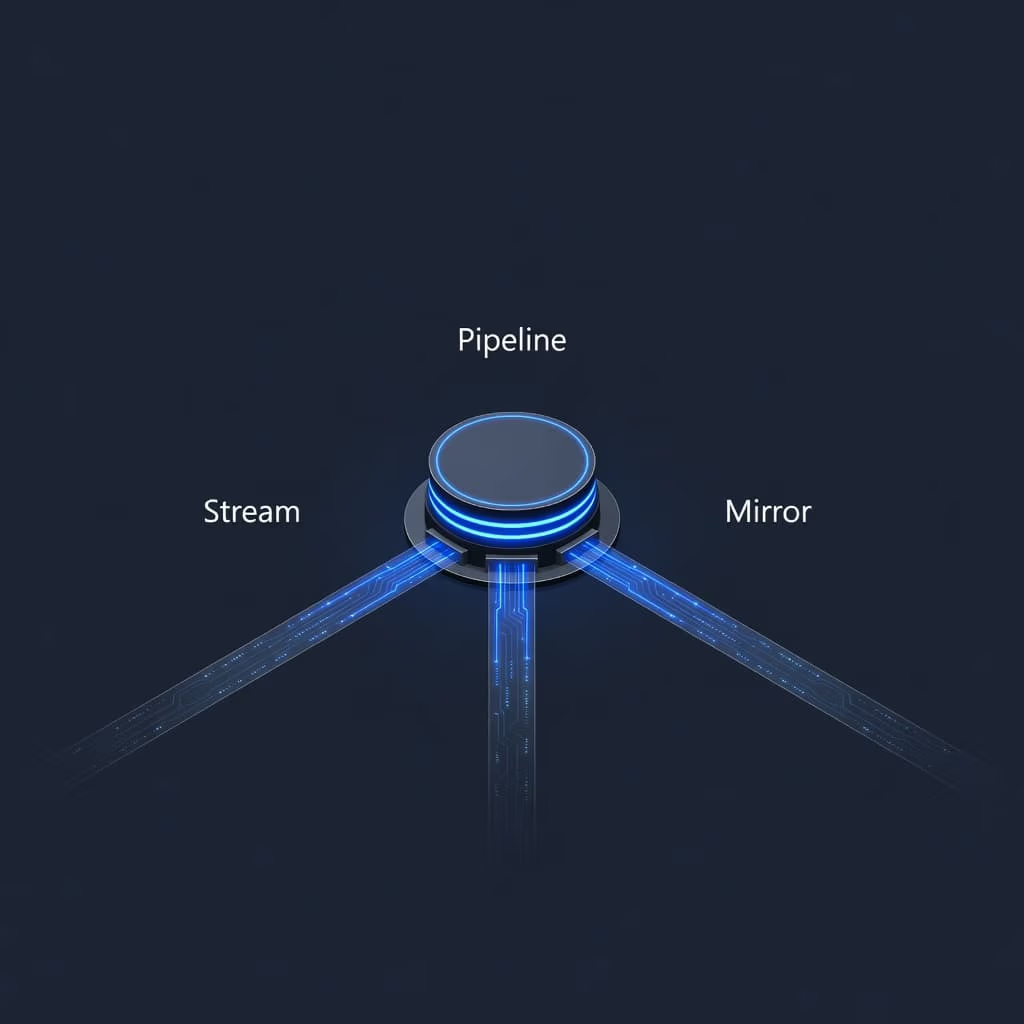
The good news is that the choice is usually clear. Eventstreams are for data in motion, Data Pipelines are for orchestrated batch and transformation work, and Mirroring is for continuous replication from supported operational databases into OneLake.
Once you frame the decision around latency, control, and source type, the path to getting your data into OneLake gets much easier. Understanding the differences regarding Eventstreams vs Pipelines vs Mirroring ensures your Microsoft Fabric environment remains scalable and performant.
Key Takeaways
- Match tool to requirements: Choose Eventstreams for sub-second real-time telemetry, Data Pipelines for complex batch orchestration, and Mirroring for immediate operational data replication.
- Prioritize architecture: Frame your decision around the three core pillars of latency, control, and source type to avoid overengineering your data platform.
- Adopt a hybrid approach: Mature Microsoft Fabric environments typically use all three ingestion methods in tandem to create a cohesive data movement strategy.
- Simplify migration: Use Mirroring to gain rapid, low-effort visibility into operational data, allowing engineering teams to build long-term curated models in parallel.
Start with latency, control, and source type
Most decisions involving Eventstream vs pipelines vs mirroring come down to three core questions. How fast does the data need to arrive, making real-time ingestion a priority? How much logic do you need during ingestion, and what level of low-latency performance is required? Finally, what kind of source are you pulling from?
In Microsoft Fabric, these options all fit into a unified platform. Data lands in OneLake, the shared storage layer behind multiple workloads, and then flows into analytics, SQL, notebooks, and Power BI. Microsoft’s data ingestion options in Fabric make this clear: you are not choosing isolated tools, you are choosing the right path into a common data estate.
This quick comparison helps anchor the decision:
| Tool | Best fit | Typical latency | Transformation during ingest |
|---|---|---|---|
| Eventstreams | Stream processing, IoT, app logs, clickstream | Sub-second to seconds | Light, no-code stream logic |
| Data Pipelines | Orchestration, scheduled loads, ETL or ELT | Minutes to hours | Full control |
| Mirroring | Operational databases with CDC replication | Continuous replication | Minimal, read-only landing |
Mirroring usually wins when speed matters but reshaping does not. Data Pipelines win when business rules, load order, retries, and dependencies matter. Eventstreams win when the data loses value if you wait.
Use Eventstream when seconds matter
Eventstreams belong in true real-time scenarios. If you need to detect a machine fault, react to a website event, or route telemetry to multiple destinations, you need low-latency capabilities to trigger an alert as data arrives.
Microsoft Fabric Real-Time Intelligence makes this approach practical for business teams, not just streaming specialists. Eventstreams support efficient real-time ingestion from more than 25 source types, including Kafka, HTTP endpoints, Azure Event Hubs, Azure IoT Hub, and CDC-based sources. These Eventstreams can route data to an Eventhouse, Lakehouse, or Activator while applying light no-code operations such as filtering, grouping, windowing, and aggregation.
If a 15-minute refresh is good enough, Eventstreams are probably the wrong choice.
That simple rule saves a lot of overengineering.
The strongest use cases show up where action follows data quickly. Melbourne Airport has used real-time analytics to improve passenger flow during peak periods. Retail teams use streaming POS and sensor data to adjust staffing and inventory faster. Telecom examples from Microsoft show response times dropping sharply when real-time events replace delayed operational reporting through stream processing.
Still, these tools are not your default ingestion path. They are not ideal for large batch backfills, multi-step ETL, or curated Bronze, Silver, and Gold processing. You can absolutely land streaming data into a Microsoft Fabric Lakehouse and later model it for reporting, but the core reason to choose this technology is speed. If speed is not the business requirement, pick a simpler option.
Use pipelines when business rules, scheduling, and orchestration matter
Data Pipelines are the workhorse for most enterprise analytics. They are the right choice when you need scheduling, complex dependencies, retries, error handling, and robust orchestration across multiple systems.
Fabric Data Factory supports more than 200 connectors, which makes Data Pipelines a practical fit for ERP extracts, CRM loads, SFTP drops, and API ingestion. Through the Copy Activity, these pipelines handle the messy middle of data movement, such as loading dimensions before facts or branching logic by business unit. For large datasets, using an incremental copy allows for efficient batch updates, while you can trigger a notebook or refresh downstream models only after quality checks pass. Microsoft’s data movement decision guide is useful because it shows where these pipelines fit when mirroring is too limited.
Data Pipelines also matter when a company wants governed, repeatable reporting. By using a copy job to land data in a Microsoft Fabric Lakehouse, organizations can move data through a Medallion architecture to curate information for a Microsoft Fabric Warehouse. From there, analysts can build Fabric semantic models for finance, operations, and sales. That architecture supports stronger Microsoft Fabric Power BI integration and cuts down the manual Excel exports that still haunt many mid-market teams.
This is also where Fabric Data Factory consulting and Dataflow Gen2 implementation often overlap. Dataflow Gen2 is a good fit for analyst-friendly transformation work, while Data Pipelines handle orchestration at scale. A helpful outside view on that broader ingestion mix comes from this Fabric ingestion overview.
For companies planning to migrate to Microsoft Fabric, pipelines usually carry the heaviest migration load because they replace scattered SQL Agent jobs, legacy ETL, and fragile refresh chains.
Use mirroring when you want live operational data in OneLake fast
Mirroring represents the shortest path from an operational database to advanced analytics in Microsoft Fabric. By utilizing a Zero-ETL approach, it removes the need for complex integration code, allowing you to replicate data continuously into OneLake. This process relies on Change Data Capture (CDC) to monitor source databases and stream updates in real time, ensuring that the landing pattern remains simple and highly efficient. Compared to traditional ingestion methods, this requires no custom ETL pipelines and minimal configuration.
This streamlined functionality makes mirroring particularly attractive during Microsoft Fabric migration projects. If your source is supported, mirroring provides immediate visibility into your current operational data without the need to rebuild your infrastructure first. Consequently, many teams prioritize it during a data platform modernization or analytics modernization effort. By mirroring sales orders, customer records, or operational transactions, organizations gain live access to their data before investing the time required to develop a full curated model.
Once the data lands in OneLake, it is stored in the open Delta Parquet format. Users can then query this data directly through the SQL Analytics endpoint, providing a familiar interface for data professionals.
There are limitations to keep in mind, however. Mirrored tables land in a read-only analytic format, so you should not use mirroring for heavy data reshaping during the movement process. It is also not the ideal fit when you require strict business-rule enforcement before the data becomes visible. For those complex scenarios, pipelines remain the more robust tool for the job. Additionally, if you need to integrate non-native sources, the Open Mirroring feature offers an extensible way to bring those systems into the ecosystem.
A strong architectural pattern involves mirroring first, then curating later. Teams often use mirroring to achieve rapid operational visibility while relying on pipelines to create trusted Silver and Gold layers. This approach aligns perfectly with Microsoft Fabric governance, as you can move quickly without sacrificing role-based access, lineage, or auditability. Furthermore, it reduces the overall effort during a Power BI to Microsoft Fabric migration because the reporting team receives current data early, allowing the engineering team to build the long-term model in parallel.
The best Fabric design often combines all three
Most mature environments do not rely on a single tool. They thrive by combining them into a cohesive data movement strategy. A manufacturer might use Eventstream for shop floor telemetry, mirroring for Azure SQL order data, and pipelines for nightly ERP and finance processing. A retailer might mirror transactional systems, stream sensor events, and then curate both into shared reporting models. By utilizing Shortcuts and Direct Lake, modern architectures minimize data movement, ensuring your reports reflect the latest information without unnecessary duplication.
That blended design is where an experienced consultant pays for itself. The hard part is not knowing what each feature does. The hard part is drawing the line between speed, trust, cost, and maintainability.
Spargent Analytics is built around the needs of U.S. companies and delivered by senior specialists from Europe. For mid-market and enterprise teams, that means direct access to experienced engineers, strong communication, and a more efficient cost structure than many USA-only consulting models. Companies with in-house BI teams use Spargent for surge capacity and specialist guidance. Others bring in a full partner because they need end-to-end delivery.
Spargent provides comprehensive Microsoft Fabric consulting services, Microsoft Fabric analytics consulting, and Microsoft Fabric data engineering services across the full lifecycle. Our expertise spans OneLake consulting, Data Factory implementation, Dataflows Gen2, Lakehouse design, Warehouse design, and semantic models. We also specialize in Microsoft Fabric governance and Real-time Intelligence to ensure your architecture remains scalable. If you are weighing a migration, a Power BI to Microsoft Fabric transition, or broader consulting options, a Book a Microsoft Fabric Discovery Call is a practical next step.
After go-live, the work shifts. Performance optimization, capacity planning, semantic model tuning, and managed services often decide whether users stay happy. If your team already has the platform but needs better cost control, cleaner refreshes, or stronger adoption, Optimize Fabric Performance and Cost is the conversation to have. For U.S. buyers comparing data engineering consulting USA firms, the delivery model matters as much as the toolset.
Frequently Asked Questions
Can I use Mirroring to transform data as it lands in OneLake?
Mirroring is designed for continuous, read-only replication and does not support complex data reshaping during the ingestion process. If your architecture requires strict business-rule enforcement or heavy transformation before the data reaches your destination, you should use Data Pipelines instead.
When is it better to use a Data Pipeline over Eventstreams?
Data Pipelines are the superior choice when your requirements involve complex dependencies, scheduled batch loads, retries, or multi-step ETL workflows. You should choose Eventstreams only when low-latency, real-time action—such as triggering an alert on a sensor fault—is the primary business driver.
Do I need all three ingestion tools in my Microsoft Fabric environment?
While you do not strictly need all three, most enterprise-grade environments benefit from a combination of these tools to handle diverse data workloads efficiently. A typical setup might include Mirroring for operational records, Pipelines for financial batch processing, and Eventstreams for real-time IoT logs.
How does Mirroring differ from traditional ETL pipelines?
Mirroring employs a Zero-ETL approach using Change Data Capture (CDC) to keep data in sync, which significantly reduces the need for custom integration code. Unlike traditional pipelines that require manual maintenance of ETL logic and scheduling, mirroring automates the replication process with minimal configuration.
Conclusion
The right choice is usually simple once you anchor it to your specific business requirements. Use Eventstreams for data that must move in near real time, Data Pipelines for controlled transformation and complex scheduling, and Mirroring for fast operational visibility with minimal engineering effort.
The best long-term answer is often a strategic combination of all three. A cohesive data movement strategy is the key to success in Microsoft Fabric, allowing you to leverage OneLake as your unifying storage layer for all organizational intelligence. Fit matters more than feature count, and the teams that get this right usually spend less time fixing data architecture later.
