
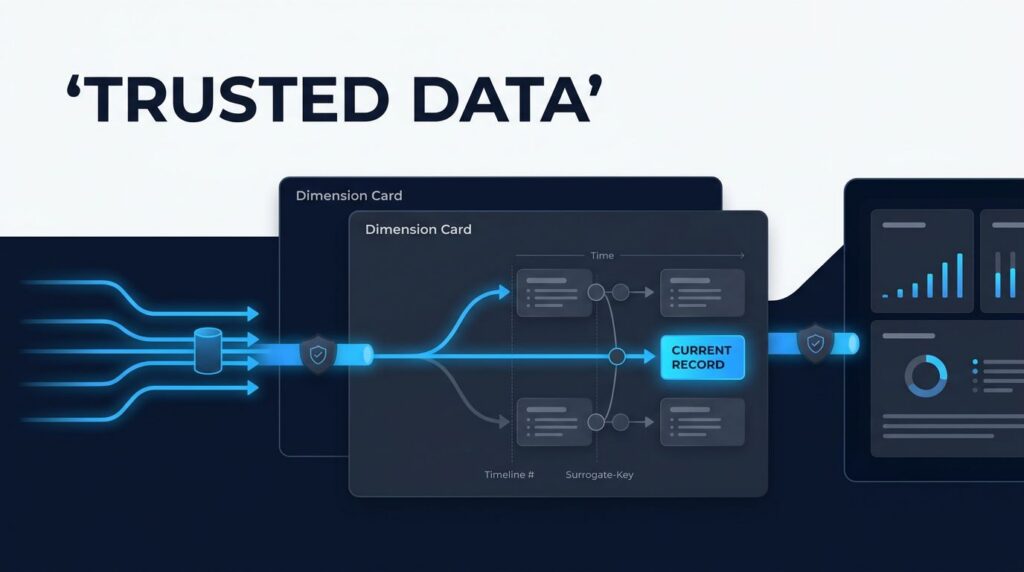
A customer, supplier, product, or employee record can change without warning. If reporting overwrites it, yesterday’s margin, territory, or compliance report may look different today.
Microsoft Fabric slowly changing dimensions give teams a disciplined way to retain the right version of business data. The goal isn’t to preserve every edit. It is to preserve changes that affect decisions, while keeping historical reporting accurate and the current state clear.
A sound design starts with business meaning, then applies the right Fabric tools.
Key Takeaways
- Choose Type 1 when only the latest attribute value matters, and Type 2 when reports must preserve the business context that existed when an event occurred.
- A reliable Type 2 dimension uses a persistent surrogate key, natural key,
AttributeHash, UTCStartDateand exclusiveEndDatevalues, and anIsCurrentflag. - Dataflow Gen2 supports controlled low-code transformations, while PySpark provides greater flexibility for complex rules, high-volume data, deduplication, and idempotent Delta writes.
- Production pipelines need single-writer orchestration, explicit deletion and late-arriving-data rules, source-watermark tracking, Delta maintenance, and validation of active rows and hash values.
- Facts must retain the surrogate key for the dimension version valid at the event time so Fabric semantic models can support both accurate historical reporting and clear current-state views.
Choosing between a slowly changing dimension type 1 and a slowly changing dimension type 2 for the business question
A slowly changing dimension (SCD) records how descriptive attributes change over time. The dimension table holds context, such as customer segment, product category, sales territory, or contract status. A fact table holds measurable events, such as invoices, shipments, claims, or production output.
The first decision is simple: should an old report show the current state, or the state that existed when the event occurred?
Choose which attributes need history based on business requirements and the reporting question.
Microsoft documents Type 2 as a pattern that creates a new dimension row when a tracked attribute changes, while preserving the original row. Its Fabric Type 2 guidance identifies source data, the dimension table, change detection, and update logic as the core parts of the design.
| Design choice | Type 1 slowly changing dimension | Type 2 slowly changing dimension |
|---|---|---|
| What happens when an attribute changes? | The existing row is overwritten. | The active row expires and a new version is inserted. |
| Does history remain in the dimension? | No, only the latest value remains. | Yes, each tracked version remains available. |
| Best fit | Corrected names, current contact details, non-historical classifications. | Product attributes, customer tiers, territory assignments, pricing context, regulated statuses. |
| Fact reporting behavior | Reports use today’s dimension attributes. | Reports can use the attributes valid on the fact event date. |
| Storage and processing | Lower volume and simpler maintenance. | More rows, more logic, and stronger data-quality controls. |
Type 1 is often right for a spelling correction or a changed email address. It is also suitable when users only need the latest organizational hierarchy. Retaining history for every attribute adds cost and confusion.
Type 2 fits when a past event needs its original business context. A manufacturer may need the product family and standard cost active when an order shipped. A health plan may need the member plan classification active when a claim was adjudicated. A retailer may need the promotion category assigned when a sale occurred.
A Type 2 table only preserves reporting history when facts resolve to the dimension version valid at the event timestamp.
Many mature models use both patterns in the same dimension. For example, product color may be Type 1, while product brand, category, and margin group are Type 2. Record that choice in a business data dictionary before any pipeline is built.
Design a history-aware Microsoft Fabric Lakehouse dimension
A Microsoft Fabric Lakehouse stores a dimension table in Delta tables by default, supporting controlled updates and version history. A practical Fabric Lakehouse SCD walkthrough shows how Delta tables’ transactional behavior supports versioned updates and reliable historical data.
A Type 2 dimension table needs more than business attributes. It also needs columns that show which version is current and when each version was valid.
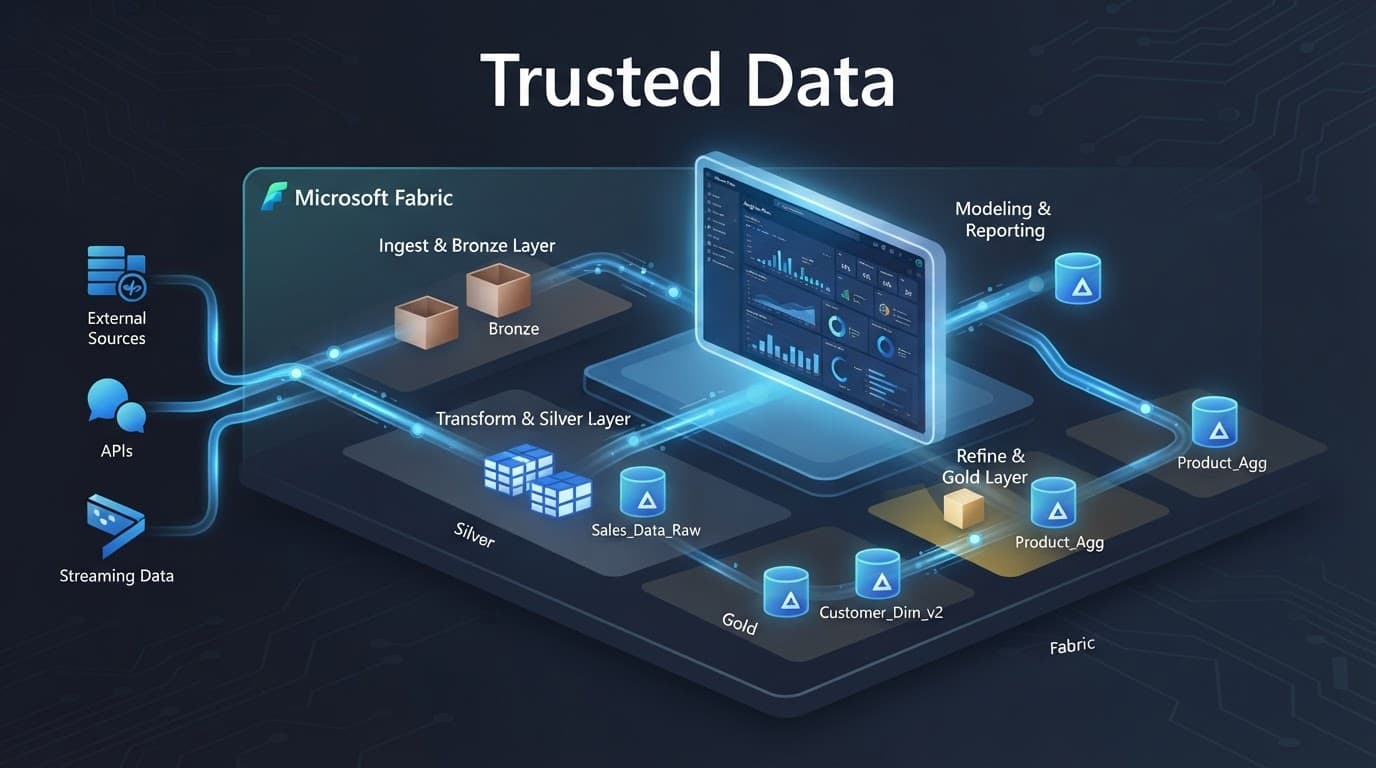
A typical customer dimension table might contain:
CustomerSK, a surrogate key that identifies one version of a customer record.CustomerID, the source-system identifier supplied by the customer system.- Business attributes such as name, segment, region, account manager, and status.
AttributeHash, a hash column that stores a hash key for the Type 2 attributes selected for change detection.StartDateandEndDate, stored in UTC and defining the effective date range for each version.IsCurrent, which identifies the active version for current reporting.- Load metadata such as source update time, pipeline run ID, and ingestion timestamp.
StartDate is inclusive, while EndDate is exclusive. An active version keeps an open-ended EndDate until a later change closes it. The IsCurrent flag identifies that active row for current reporting.
The natural key connects records across systems. It might be a CRM customer ID, ERP product code, or HR employee number. Use the natural key to identify the same entity across source systems. The surrogate key identifies a distinct historical version that the fact-loading process should persist for downstream facts.
Do not create a permanent key from an index that changes on each full refresh. Persist the assigned key. A full reload that reshuffles indexes can break fact relationships and make historical reports unreliable.
Hashing reduces unnecessary field-by-field comparisons. Build a canonical string from selected Type 2 attributes, using consistent trimming, casing, null handling, date formats, and delimiters. Then use the hash column to calculate a SHA-256 hash key. This hash is a comparison signature, not an entity identifier.
Exclude ingestion time, last-run timestamp, and other technical metadata from the hash column. These fields change often, but they do not describe a meaningful business change. Keep this hash key separate from technical metadata. Retain field-level old and new values in an audit table when business users must understand exactly what changed.
Implement Type 2 changes with Dataflow Gen2 or PySpark
Fabric doesn’t provide a single special SCD object. Teams build this behavior with Delta tables, transformations, and carefully ordered update logic. Data Factory can orchestrate the workflow, while change detection logic governs row classification and updates. The right approach depends on data volume, source complexity, engineering skills, and the controls required after go-live.
Use Dataflow Gen2 for controlled low-code transformations
Dataflow Gen2 is a good option when source shaping and business-rule transformations fit naturally in Power Query. It works well for master data from SaaS applications, SQL sources, Excel-based reference files, or scheduled extracts that business analysts already understand.
A dependable process follows this sequence:
- Land the source extract in a staging table, then standardize data types before comparison.
- Create a reference to active rows in the dimension table, where
IsCurrentis true. - Join staging data to active rows by the matching business key.
- Create a hash column using only the tracked attributes. Convert the binary hash to text for stable comparison.
- Classify each source row as new, unchanged, or changed.
- Expire the active version for changed records by setting its
EndDate. Insert the replacement version withStartDateset to the incoming version timestamp. This expiration-plus-insert sequence is an upsert operation. - Write row counts and run details to an audit table.
A full outer join can reveal source records missing from the latest extract. A left anti join from active rows to the staging data provides a focused check. However, an absent row does not automatically mean deletion. The source may be filtered, delayed, or incomplete.
This approach is especially useful when data stewards need to review transformations. Still, Type 2 processing needs disciplined orchestration. The implementation should separate landing, classification, expiration, insertion, and validation steps. For complex updates, teams often run a notebook or Fabric Warehouse SQL operation after the low-code process prepares the required data.
Avoid applying a Type 2 update directly against raw source data. An immutable snapshot in a staging table makes reruns safer and gives auditors a clear record of what the pipeline received.
Use PySpark for complex merges and high-volume data
PySpark notebooks give data engineers greater control over deduplication, hash creation, Delta writes, retry behavior, and performance tuning. They can compare an incoming hash column with active rows in the target dimension table using a stable hash key. This approach is often better when sources arrive frequently, the target contains millions of historical versions, or business rules require custom ordering.
A PySpark notebook process typically deduplicates the source by natural key and source event time. It then compares the incoming hash with the active dimension hash. New keys create new rows. Changed keys close the prior row and insert a replacement version. Unchanged keys create no write activity.
PySpark must guard against duplicate source records. When duplicate CustomerID values have conflicting timestamps, select the latest trusted row for each natural key before merging. Otherwise, the notebook can create overlapping date ranges or fail because multiple source rows match the target.
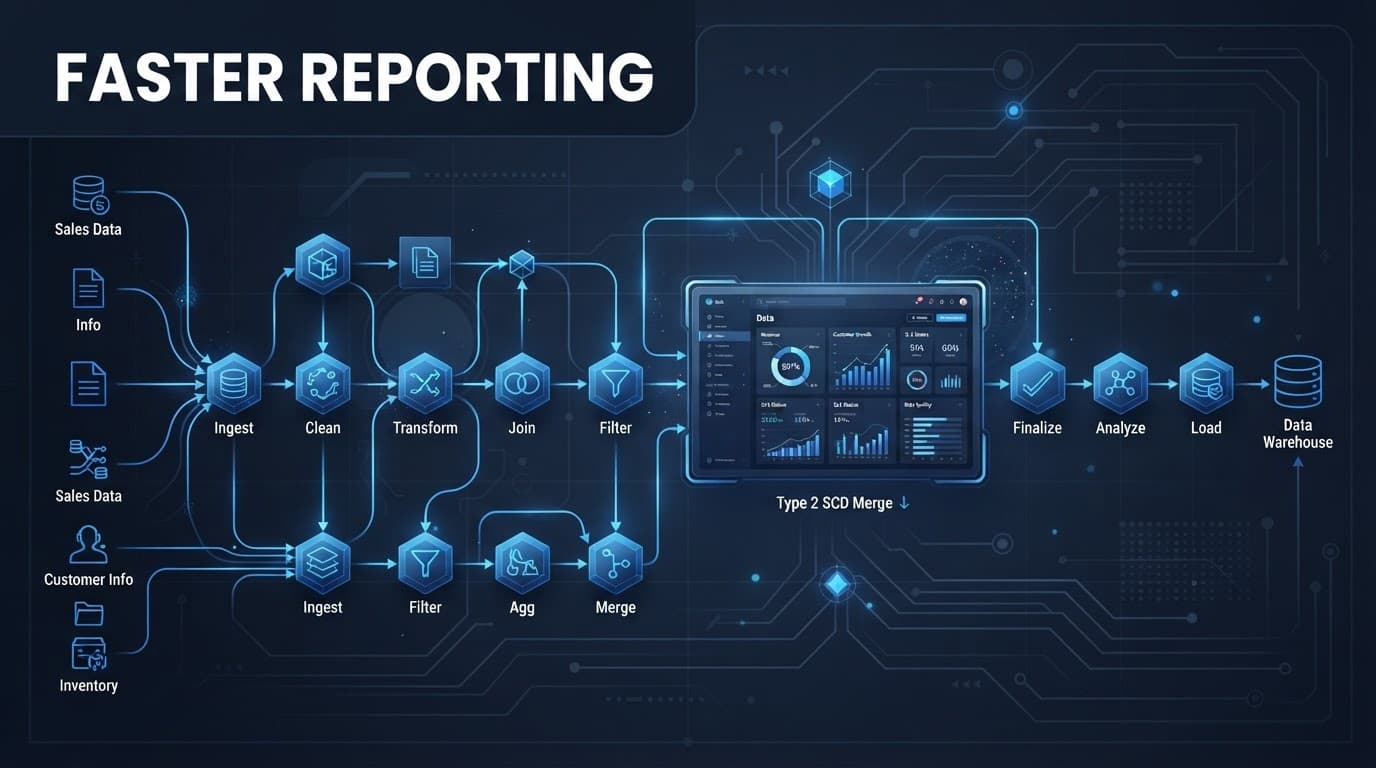
A Delta merge operation can expire active rows and create replacement rows, but the staging design matters. The pipeline must distinguish an incoming row intended to close a version from one intended to insert a version. A retry should also be idempotent, meaning a repeated upsert operation reaches the same result rather than inserting duplicate history.
A Fabric Lakehouse SCD pattern guide describes Delta-based SCD logic as the foundation for transactional and versioned SCD workloads. In practice, notebook processing becomes more valuable as source data gets noisier and update rules become more demanding.
Operate Type 2 dimensions at production scale
A Type 2 process can work perfectly in development and still fail under live workloads. Production design needs guardrails for concurrency, late data, deletion logic, schema drift, and table maintenance.
Start with a single writer for each dimension table. Two pipelines attempting to close the same active row where IsCurrent is 1 can create conflicts or duplicate versions. Serialize writes by dimension, track a source watermark, and retain the raw batch used for each run. If a PySpark writer fails after writing, restart from the staged batch rather than pulling a changed source extract again.
Handle source deletions as an explicit business rule. A soft-deleted customer may remain reportable but become inactive for future transactions. In that case, expire the active version by setting EndDate, then add a Type 2 status row or deletion indicator. Hard-deleting historical rows removes evidence that the entity ever existed.
Late-arriving changes require equal care. If a source says a territory changed last month, split the existing interval at StartDate and set the prior row’s EndDate accordingly. Do not simply overwrite the current record. Document whether the source timestamp, treated as the effective date, or the ingestion timestamp governs history.

For massive dimensions, partitioning is not an automatic fix. Most dimensions perform well without partitioning. Avoid partitions on high-cardinality business keys or status flags, which can create many small files. For very large historical dimensions, test date-based partitioning only when common queries filter by those date ranges.
Regular maintenance of Delta tables, appropriate file compaction, and limited update scope keep writes efficient. Monitor source rows, new keys, changed keys, expired rows, rejected records, and duration by pipeline run. Validate active IsCurrent rows and the hash column for unexpected changes, turning silent history problems into observable operational issues.
This is where Microsoft Fabric performance optimization and Microsoft Fabric capacity planning meet data modeling. A slow Type 2 load can consume shared capacity and delay Power BI refreshes. Teams that need help can Optimize Fabric Performance and Cost before the problem reaches business users.
Connect fact tables, Fabric semantic models, and current-state reporting
The dimension table supports historical reporting only when the fact table retains the correct surrogate key for each event. For a Type 2 lookup, match the natural key and effective date range:
StartDate <= FactEventAt < EndDate
That rule assigns an invoice, claim, order line, or sensor event to the active dimension version. This supports time-based analytics without attribute drift, provided the fact lookup does not always filter to IsCurrent = true. Test the exclusive EndDate boundary, and never use a row’s EndDate as a substitute for the event-time lookup.
Use separate views when reports need both perspectives. A current customer view can filter IsCurrent = true for operational dashboards and show the current state. A history-aware view can use the same dimension table for period reporting, while the loading pattern preserves each resolved key.
In Fabric semantic models, keep relationships simple and intentional. A star schema with a many-to-one relationship from the fact table to the dimension is easier to validate and performs better than complex many-to-many paths. Power BI semantic model optimization also includes removing unused columns, using clear measures, and avoiding duplicate business logic across reports.
A Microsoft Fabric Lakehouse can hold curated dimensions and facts, while a Microsoft Fabric Warehouse can support SQL-centric reporting teams. Both can share governed data through OneLake, reducing duplicate extracts and fragile Excel reporting processes.
Specialist delivery for U.S. Fabric teams
Spargent Analytics provides Microsoft Fabric consulting services for U.S. mid-market and enterprise organizations seeking stronger data engineering capacity, broader Power BI adoption, or a practical path away from fragmented reporting. Its work spans data ingestion, Data Factory pipelines, Lakehouse architecture, Warehouse workloads, OneLake design, governance, real-time analytics, and managed support.
Companies planning a Microsoft Fabric migration or looking to migrate to Microsoft Fabric can move in phases. Shortcuts and controlled pilots help teams validate priority reporting use cases before moving every pipeline. A Power BI to Microsoft Fabric migration can then align reports, refresh logic, and security with governed data products.
Spargent acts as a Microsoft Fabric implementation partner for projects requiring senior technical ownership. Its Microsoft Fabric data engineering services include pipeline orchestration consulting, Dataflow Gen2 implementation, Delta Lakehouse design, and OneLake consulting. Teams also use Spargent for Microsoft Fabric Power BI integration, Fabric semantic models, and Fabric Real-Time Intelligence projects.
For organizations without a full internal analytics function, Microsoft Fabric managed services provide ongoing monitoring, pipeline support, governance reviews, and capacity optimization. Established data teams use Spargent’s Microsoft Fabric consultants for focused support with complex challenges, including historical dimensions, workload performance, data-quality controls, and Microsoft Fabric governance.
Built around the needs of U.S. companies, Spargent delivers with senior Microsoft Fabric specialists from Europe. This delivery model combines U.S.-market-ready communication and accountability with an efficient European cost structure. It gives clients access to a Microsoft Fabric expert without the cost and delay of expanding a full-time local team.
That model supports data platform modernization, analytics modernization, and data engineering consulting for USA companies seeking measurable outcomes: faster reporting, less manual Excel work, more reliable semantic models, and better control of existing Microsoft investments. Organizations seeking Microsoft Fabric consulting in the USA can Book a Microsoft Fabric Discovery Call to review architecture, migration priorities, and delivery options.
Frequently Asked Questions
What is a slowly changing dimension in Microsoft Fabric?
A slowly changing dimension preserves changes to descriptive business data, such as customer segments, product categories, or territory assignments. In Microsoft Fabric, teams typically implement the pattern with Delta tables, Dataflow Gen2, PySpark notebooks, and orchestrated update logic.
When should a team use Type 1 instead of Type 2?
Use Type 1 when reports only need the current value, such as a corrected name or email address. Use Type 2 when historical facts must retain the attributes that were valid when the event occurred.
What columns does a Type 2 dimension need?
A Type 2 dimension generally includes a persistent surrogate key, a natural key, tracked business attributes, an attribute hash, StartDate, EndDate, and IsCurrent. Load metadata and audit details also help teams trace changes, rerun batches safely, and investigate data-quality issues.
How does a fact table find the correct Type 2 version?
The fact-loading process matches the natural key and event timestamp to the dimension interval: StartDate <= FactEventAt < EndDate. The fact must retain the resolved surrogate key rather than always joining to the row where IsCurrent = true.
How can Fabric teams operate Type 2 dimensions reliably at scale?
Use a single writer per dimension, stage immutable source batches, deduplicate by natural key and trusted event time, and make retries idempotent. Monitor changed and expired rows, handle deletions and late-arriving changes explicitly, and maintain Delta tables with appropriate file-compaction practices.
Build history that business users can trust
Slowly changing dimensions turn changing source records into stable reporting context. Type 1 keeps current data clean, while Type 2 protects the historical meaning of facts.
The strongest Fabric designs pair Delta-based update logic with clear ownership, testable date rules, and monitored pipelines. A trusted dimension table can expose the current state through IsCurrent while preserving version boundaries with StartDate and EndDate. Trusted history gives every Power BI report greater analytical integrity and a more defensible answer.
