Your data can not help if one simple question sends you through five reports, two exports, and a chat thread. Most small businesses don’t lack numbers. You lack a fast path from data to an answer you trust.
With Azure AI Foundry Fabric integration, you can shift from static reporting to agentic AI-powered autonomous workflows with guided chat backed by approved business data. The Microsoft Fabric data agent turns enterprise data into conversational Q&A systems, while Foundry agents manage the request, hold context, and guide the next step. That pairing matters more than another dashboard.
Key Takeaways
- Foundry agents and Fabric data agents team up: Foundry agents handle conversation flow and context using Azure OpenAI, while Microsoft Fabric data agents deliver grounded answers from approved business data like lakehouses or warehouses.
- Faster path from question to trusted insight: Skip report hunting and exports—ask natural language business questions like “Why did margin drop?” and get consistent, actionable responses tied to your defined metrics.
- Start small for big wins: Build with one clear use case, clean metric definitions, RBAC access, and testing to ensure trustworthy chat that respects permissions and reduces confusion.
- Ideal for small businesses: Lowers barriers so non-specialists can analyze sales, cash flow, or inventory without data teams, keeping dashboards as support, not the only door.
How Foundry agents and Fabric data agents work together
Azure AI agents and Fabric data agents solve two different parts of the same problem. Azure AI agents, the technical name for Foundry agents, handle the flow of work. They interpret what you ask using Azure OpenAI Service, keep track of the conversation, and decide when to call a data tool. Fabric data agents, specifically the Microsoft Fabric data agent, handle the data side. They expose your business data through chat, so you can submit natural language queries and get answers grounded in approved knowledge sources.
Think of it like this: the Azure AI agent is your guide, and the Fabric data agent is your map. The guide knows where you want to go. The map draws from your knowledge sources to show the real terrain. If you only have the guide, you may get a polished answer with weak facts. If you only have the map, you still need to know where to look.
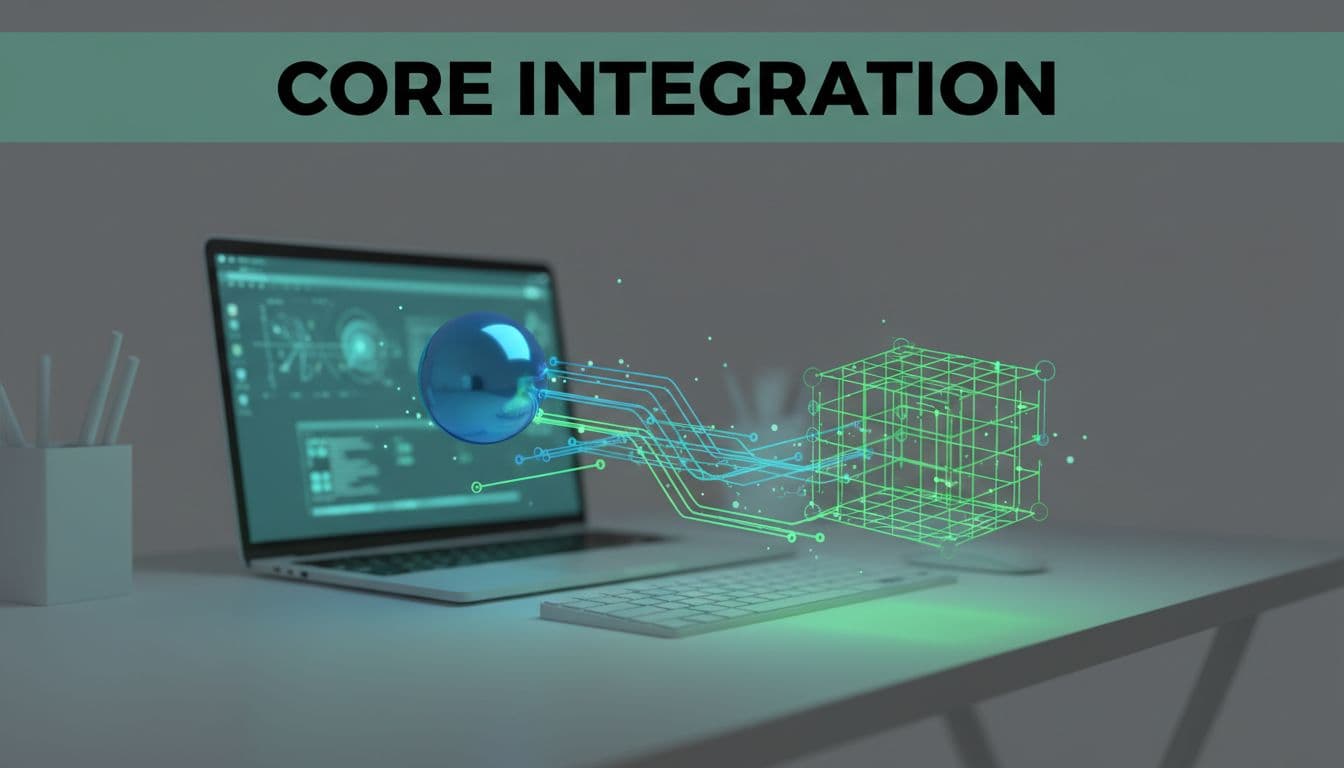
When you connect them, the flow gets much stronger. You ask a business question such as, “Why did cash flow tighten this month?” The Foundry agent can break that into smaller tasks, call the Fabric data agent for grounded answers, and return a clear response tied to your real data. It can also keep the thread going, so your follow-up question still has context.
That matters because you don’t think in tables and schemas. You think in business questions. You want to know why margin fell, which customers pay late, or what changed after a price update. A good Foundry Fabric integration lets you stay at that level while the agents handle the hard work behind the scenes.
Why Azure AI Foundry Fabric integration gives you faster answers
Most reporting delays happen between the question and the first useful answer. You open a dashboard, then change filters, then wonder if the metric matches last week’s report. After that, you still need someone to explain what changed. The delay isn’t always technical. Often, it’s the gap between where your data lives and how people ask for it.
Azure AI Foundry Fabric integration cuts that gap. Instead of hunting through reports, you ask for what you need and receive Fabric tool guidance to the right one. The Foundry agent holds the business context. The Fabric data agent pulls from approved data. As a result, you spend less time translating a question into report logic.
This quick comparison shows the difference:
| Task | Without integration | With integration |
|---|---|---|
| Ask a question | Search reports or ask for help | Ask in chat |
| Keep context | Repeat filters and date ranges | Foundry agent remembers the thread |
| Trust the data | Rely on exports and guesswork | Fabric agent answers from approved data |
| Take action | Open more tools | Get actionable insights and move from answer to next step faster |
The biggest win is not speed alone. It’s consistency. If you define revenue, gross margin, or active customer one way in Power BI semantic models within the Microsoft Fabric data agent, your chat answers can follow that same definition. That lowers confusion across sales, finance, and operations.
Good agent design doesn’t replace your reports. It gives you a faster front door to them.

That point matters for a small business. You may not have a full data team. So every extra click, export, and clarification costs time. When your agents work together, more people can ask useful questions without waiting on a specialist for every answer.
How to build the connection and keep answers trustworthy
To build a trustworthy Foundry Fabric integration (currently in public preview), start small. If you try to connect every data source and every use case on day one, you’ll create noise. Pick one business problem that comes up often and has a clear owner. Good starting points include sales performance, unpaid invoices, inventory risk, or service delivery.
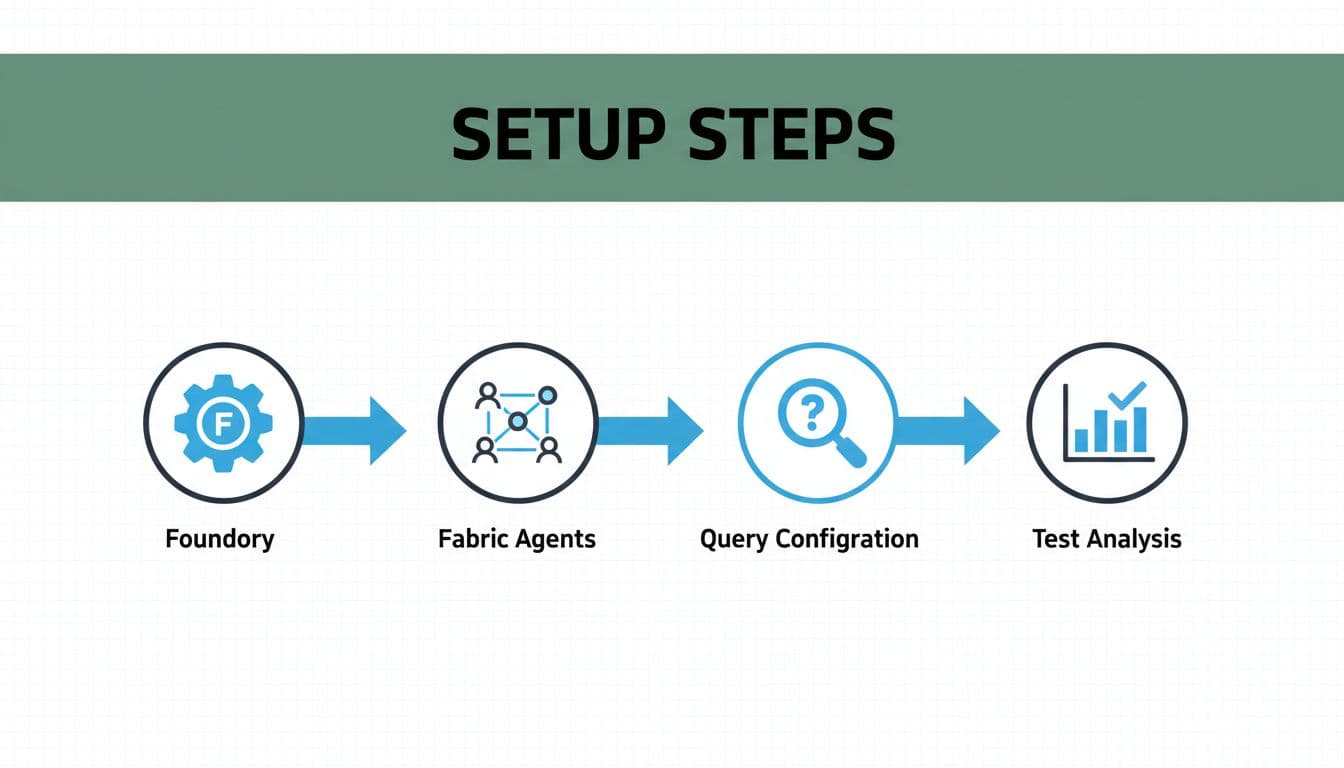
From there, the build path is simple:
- Pick one narrow use case with a clear business question and a clean success measure.
- Prepare the Fabric data agent with approved data from knowledge sources like a lakehouse, warehouse, or KQL database, stable metric definitions, role-based access, the workspace ID, and the artifact ID to connect the agent.
- Configure the Foundry agent using the Foundry Agent Service and project connection ID to call the Fabric data agent at the right time, with clear instructions and fallbacks.
- Test with real user prompts, then review where answers break, drift, or need more context.
The Fabric side matters more than many teams expect. If your source tables clash, or your metric names shift between reports, the agent won’t fix that. It will spread the confusion faster. So clean up core definitions first. If one report says margin includes freight and another doesn’t, your chat answers will be hard to trust.
Clean definitions matter more than clever prompts.
Access rules matter too. Use identity passthrough and On-Behalf-Of authorization to enforce RBAC roles. If a sales lead can’t view payroll in Fabric, your agent shouldn’t answer payroll questions for that person. Keep the same permissions across reports, chat, and downstream tools. That keeps trust high and reduces risk.
On the Foundry side, write instructions that tell the agent when to use the Fabric data agent, when to ask a follow-up, and when to stop. For example, if the question is too vague, the agent should ask for a date range or business unit instead of guessing. You should also log prompts, answers, and misses. After a few weeks, those logs show which terms confuse users and which data gaps need work.
What daily analysis looks like in a small business
Once the setup is live, the value becomes easy to see. Imagine you run a retail business and notice profit feels tight. Instead of opening three reports, you perform natural language queries like, “Why did gross margin drop last week?” The Foundry agent keeps the context of your store, time period, and product mix. Then it calls the Fabric data agent, which checks your approved sales, discount, and cost data stored in Microsoft Fabric OneLake.
The answer can come back in plain language and generate actionable insights. It might tell you that discounting rose in two categories, supplier cost increased on one top seller, and returns climbed in one location. Because the answer comes from governed data, you can trust the direction. Because the Foundry agent manages the conversation, you can ask the next question right away.

The same pattern works in other industries. If you run a service firm, you might ask which clients have low margin after labor cost changes. If you manage distribution, you might ask which items had repeat stockouts after supplier delays. Developers can use Python SDK or SynapseML to extend the analysis logic in both cases. The chat layer speeds up analysis because you stay focused on the business issue, not on the report path.
That daily workflow is where Foundry Fabric integration pays off. Your staff can ask better questions because the barrier is lower. Your answers stay tied to approved metrics. You still keep dashboards and reports, but they stop being the only way to reach insight. Instead, they become support for a faster, more natural way to work with data.
Frequently Asked Questions
What’s the difference between Foundry agents and Fabric data agents?
Foundry agents (Azure AI agents) manage the workflow: they interpret your question, track context, and decide when to call tools. Fabric data agents handle the data, turning natural language queries into answers from approved sources like Power BI models or OneLake. Together, they create a guide-map duo for reliable business analysis.
How do I build a trustworthy Foundry Fabric integration?
Start with one narrow use case like sales performance, prepare Fabric with stable metrics and RBAC, configure Foundry to call it with clear instructions, and test with real prompts. Clean definitions and identity passthrough are key—fix table clashes first. Log interactions to refine over time.
Why does this matter for small businesses without data teams?
It cuts delays from reports and exports, letting anyone ask business questions in chat and get consistent answers from governed data. Foundry holds context across threads, Fabric ensures trust, so staff spend less time on filters and more on action. Dashboards become backups, not bottlenecks.
Can this handle follow-up questions and daily analysis?
Yes, Foundry agents keep conversation context, so follow-ups like “Drill into that category” stay grounded. For retail or services, query margins, stockouts, or invoices naturally—the agents pull from Fabric data for plain-language insights you can trust and act on immediately.
Is the integration ready for production?
It’s in public preview—start small to build reliability. Focus on consistent model names, On-Behalf-Of auth, and fallback instructions. With clean setup, it scales from novelty to daily workflow without replacing your reports.
One question should lead to one trusted answer
A small business doesn’t need more screens. You need fewer steps between a question and a reliable answer. That’s what happens when Azure AI Foundry agents guide the interaction and Microsoft Fabric data agents ground the result in approved data.
The best Foundry Fabric integration starts narrow, respects access rules, uses clean metric definitions, and keeps the model deployment name and identity authentication consistent for long-term reliability. When you get that right, chat stops being a novelty and starts becoming a practical way to analyze your business.