
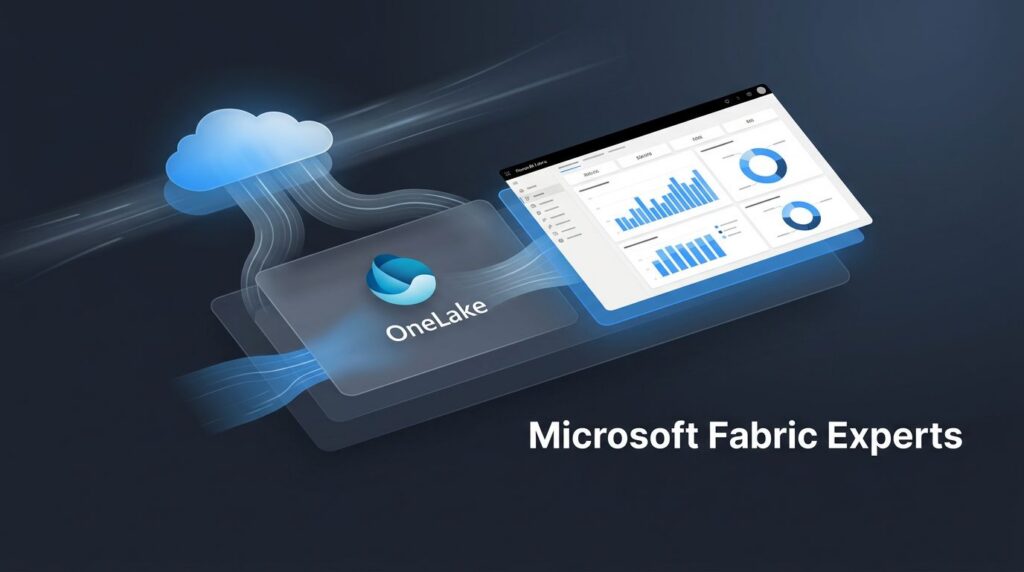
Microsoft Fabric is more than a data tool, it’s a unified analytics platform for AI-ready reporting, governed data pipelines, and faster business decisions. For mid-market and enterprise teams, the pressure is obvious: cut data sprawl, reduce manual Excel reporting, and stop waiting on slow handoffs just to get a clean number on a dashboard.
The real question behind The Total Economic Impact of Microsoft Fabric is simple, how much time, cost, risk, and ROI does a single platform remove from the business?
That’s where Fabric starts to matter, because it brings data engineering, OneLake, Power BI, semantic models, real-time analytics, and governance into one stack instead of a chain of disconnected tools.
Spargent Analytics helps US-based companies design, implement, migrate, optimize, and support Microsoft Fabric across the full data lifecycle. Built for US companies, delivered by senior Microsoft Fabric experts from Europe, with a cost structure that supports stronger ROI, better communication, and less dependency on hiring a full internal data team. If you’re planning a Fabric rollout or cleaning up a Power BI environment, Book a Microsoft Fabric Discovery Call.
The main reasons companies are choosing Fabric now
Companies are not adopting Microsoft Fabric because it sounds modern. They are choosing it because the old setup is getting expensive in ways that are easy to miss at first and hard to ignore later. Too many tools, too many data copies, too many handoffs, and not enough time spent on actual analysis.

That is why Fabric is showing up in more planning conversations. It reduces the friction between ingestion, reporting, governance, and AI readiness, which makes the economics easier to justify.
Data sprawl is driving higher costs and slower decisions
Fragmented data stacks create hidden drag everywhere. Every extra platform adds another place to store data, another pipeline to maintain, and another report that needs to be reconciled before leadership trusts the number.
In practice, that means engineers spend time copying data between systems instead of improving the model. It means refresh cycles are slower because each tool has its own schedule, dependencies, and failure points. It also means audit requests turn into a scavenger hunt, because lineage, access controls, and definitions are spread across disconnected systems.
For business teams, the cost shows up as delay. Sales, finance, operations, and leadership all ask for the same answer, but each team sees a slightly different version of it. That creates rework, confusion, and risk when the board wants one clean number.
A more unified model cuts through that noise. Platforms that reduce sprawl also reduce the maintenance burden, which is why more teams are comparing Fabric to the old patchwork approach. Bakertilly’s take on Fabric sprawl captures the operational side well, because the problem is rarely just technical; it’s budget, control, and speed all at once.
Built-in AI and Copilot change the value equation
Fabric is attractive now because AI is no longer sitting on the sidelines. It is built into the platform to help people get answers faster, draft reports with less manual effort, and automate repetitive data tasks.
That matters for everyday business work. A manager does not want to hunt through five dashboards to explain a sales dip. A BI analyst does not want to rebuild the same query six times. A data team does not want to keep translating business questions into one-off logic when a governed foundation can handle more of that work.
With Copilot, data agents, and AI-ready data foundations, Fabric pushes more of the routine effort out of the way. Teams can summarize data, ask questions in natural language, and use trusted data in Power BI and downstream apps without having to start from scratch every time.
AI only saves time when the data beneath it is clean, governed, and already in one place.
That is the real shift. Companies are not buying AI features by themselves; they are buying a better way to prepare, govern, and use data so AI produces useful output instead of noisy guesses. If you are mapping out that path, a Request a Fabric Readiness Assessment is often the fastest way to see where the gaps are.
OneLake and shared capacity reduce platform waste
OneLake changes the storage conversation because it gives teams a single place to organize data instead of scattering copies across different tools. When combined with shortcuts and mirroring, Fabric can connect data without forcing extra movement or repeated ingestion jobs.
That matters more than it sounds. Every duplicate copy adds storage cost, more pipeline logic, and another surface area to secure. Every extra system also adds another admin task, another monitoring screen, and another place where a refresh can break.
The shared capacity model also helps. Instead of paying for and planning for separate compute in separate systems, teams can use a single pool across workloads. That makes operations simpler and capacity planning more predictable, especially for organizations trying to keep BI, data engineering, and real-time analytics under control simultaneously.
One platform can replace a stack of disconnected pieces:
-
- Less duplication because data is reused instead of copied everywhere.
-
- Less admin overhead because storage, compute, and governance sit in one model.
-
- Less tool sprawl because engineering, warehousing, reporting, and real-time work live together.
-
- Less waste because teams are not paying for overlapping systems that do the same job twice.
For companies modernizing Power BI or moving toward a more governed Fabric environment, the economics become clearer here. If your team is already feeling the pain of multiple workspaces, duplicate datasets, or slow report performance, Plan Your Power BI to Fabric Migration is the practical next step.
Where the economic value shows up in real organizations
The economics of Microsoft Fabric show up where teams feel friction every day. Not in a slide deck, but in the hours lost to refresh failures, duplicate pipelines, report tie-outs, and governance reviews that take too long.
That is why Fabric matters to mid-market and enterprise teams. It cuts across reporting, operations, and risk, then pulls those costs into one platform instead of leaving them scattered across tools and teams. The result is easier to see in practice than in theory.

Faster reporting and better decision-making
When data lives in one place and Power BI sits on top of it, teams stop waiting on manual handoffs. They get to trusted numbers faster, with fewer refresh delays and fewer versions of the truth floating around the business.
That speed matters most in leadership reporting. Finance does not want to reconcile the same metric three different ways. Sales and operations do not want to argue over which dashboard is right. With Fabric, the reporting layer is closer to the data layer, so teams spend less time fixing numbers and more time using them.
The payback is practical:
-
- Less time reconciling reports because shared semantic models reduce rework.
-
- Fewer refresh bottlenecks because the platform is built for shared workloads.
-
- More confidence in dashboards because business users are looking at governed data, not ad hoc extracts.
Microsoft’s own Total Economic Impact of Microsoft Fabric study points to measurable time and cost benefits when organizations consolidate analytics work. That tracks with what most teams see first, cleaner reporting moves faster, and faster reporting changes decisions.
For organizations already living in Power BI, the gain is even sharper. Fabric makes it easier to modernize the reporting stack without forcing people into a brand-new workflow. That means less disruption for analysts and quicker value for executives.
Lower operating cost through fewer tools and less maintenance
A big part of Fabric ROI is not the license cost. It is the work you no longer have to do.
Old analytics stacks tend to carry duplicate ETL pipelines, separate storage layers, custom connector work, and brittle scripts that need constant attention. Every one of those pieces creates a maintenance bill. Even when the software is already paid for, the people cost keeps climbing.
Fabric reduces that pressure by bringing ingestion, transformation, storage, analytics, and reporting into one platform. OneLake cuts down on unnecessary copies. Data Factory pipelines and Dataflows Gen2 reduce one-off integration work. Shared capacity also makes it easier to plan spend across workloads instead of managing a patchwork of separate systems.
That matters because maintenance is where many data programs lose money quietly. Teams spend more time patching jobs, monitoring refreshes, and troubleshooting integration gaps than they do improving analysis. Over time, that becomes a tax on every new request.
For companies modernizing Microsoft 365, Azure, and Power BI environments, this is where a focused partner helps. Spargent Analytics designs and delivers Fabric solutions that reduce engineering overhead, clean up legacy reporting, and support the full data lifecycle, from ingestion to semantic models to managed support.
The real savings are not only in software consolidation. They are in the hours your team gets back every month.
Stronger governance with less manual oversight
Governance often gets treated like overhead. In regulated industries, it is the price of moving quickly without creating risk.
Fabric changes that equation by putting security, lineage, access controls, and compliance features into the platform itself. That means fewer manual checks, fewer spreadsheet-based approval flows, and less dependence on tribal knowledge when auditors ask hard questions.
This is especially useful in healthcare, financial services, education, energy, and other environments where access control and traceability matter every day. Instead of bolting governance on later, teams can classify data, manage permissions, and trace usage across workloads in a more consistent way.
The business value is straightforward:
-
- Lower risk because sensitive data is protected through a centralized model.
-
- Less admin work because access and lineage are easier to manage.
-
- Faster audits because the right controls are already in place.
-
- Better collaboration because teams can share data without losing oversight.
For companies that handle PII, financial records, or regulated operational data, that saves real time. It also lowers the chance that a growth initiative gets slowed down by compliance cleanup later.
Spargent helps US teams build this foundation with the right balance of speed and control, including governance design, workspace strategy, capacity planning, and post-launch support. Built for US companies. Delivered by senior Microsoft Fabric experts from Europe.
A simple comparison of Fabric against the old way of working
The old data stack usually looks fine on paper, then the work starts. One team owns ingestion, another owns storage, another builds reports, and a fourth group tries to bolt on AI later. Fabric changes that setup by pulling the core pieces into one place, so the business is not paying for extra handoffs just to get a number on a dashboard.
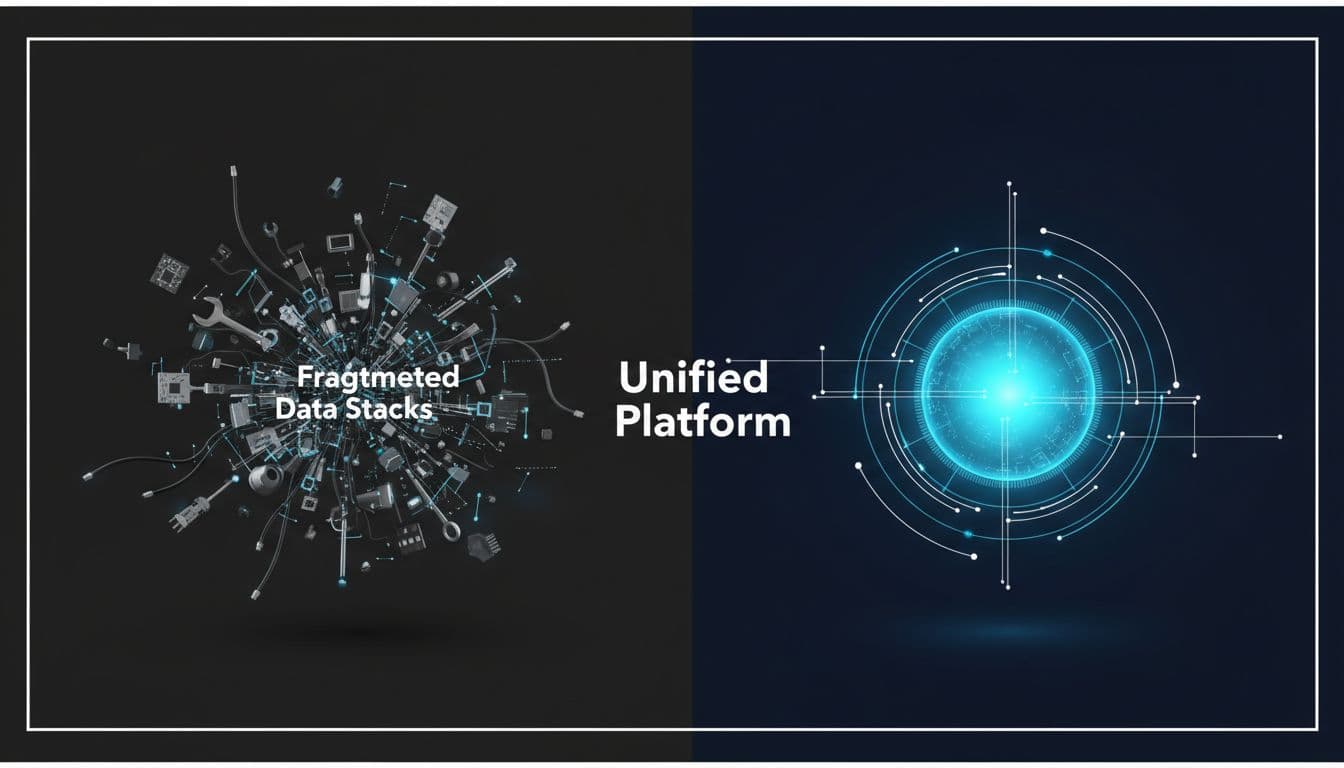
That difference matters because most economic waste in analytics does not stem from a single giant mistake.
It comes from small frictions, duplicate work, slow approvals, broken refreshes, and reports that need to be rebuilt after every change.
Separate tools versus one connected platform
The old model depends on stitching together a lot of separate parts. You might have one tool for ingestion, another for transformations, a warehouse somewhere else, a BI layer on top, and extra services for governance or AI. Each layer solves a problem, but the stack gets harder to run as the business grows.
Fabric takes a different path. Data Factory, Lakehouse, Warehouse, Real-Time Intelligence, and Power BI all sit on the same foundation, with OneLake underneath. That means fewer moving parts for teams to maintain and fewer integration points where work can break.
In practical terms, the old way creates more than technical overhead. It slows onboarding, spreads ownership across teams, and makes every new use case feel like a custom build. Fabric reduces that drag because the platform is already connected. You spend less time wiring tools together and more time using data.
A simple side-by-side view makes the difference clear:
| Old way of working | Microsoft Fabric |
|---|---|
| Separate tools for each stage | One connected analytics platform |
| More handoffs between teams | Shared data and shared workloads |
| More setup and integration work | Less plumbing, faster delivery |
| Harder to govern consistently | Governance built into the platform |
| AI added later as a separate project | AI-ready foundation from the start |
That is why Fabric is easier to justify in ROI terms. It replaces a patchwork of tools with a cleaner operating model. For teams comparing platform options, Microsoft’s Fabric overview gives a solid view of how the workloads fit together.
Copied data versus governed shared data in OneLake
The old way of working depends on data copies. One team extracts data for reporting, another makes a copy for analytics, and a third keeps a version for AI testing. Before long, nobody is sure which copy is current, which one is approved, or why two dashboards disagree.
OneLake changes that pattern by giving the organization a shared data foundation. Data can be used across workloads without being copied into a new system every time. That cuts storage waste, but it also cuts confusion. When reports draw from the same governed source, trust goes up.
This matters for scale. Duplicate data creates duplicate problems, storage cost, access control drift, inconsistent definitions, and more effort every time a field changes. Shared data is easier to support because the governance model follows the data rather than chasing copies across the stack.
It also helps leadership. A CFO does not want to explain why finance and operations have different net sales figures. A BI leader does not want every dashboard review to turn into a debate about definitions. With OneLake, the business gets closer to one version of the truth.
If your team is already dealing with report sprawl or duplicated Power BI assets, Plan Your Power BI to Fabric Migration is often the right next move.
Manual analytics versus AI-assisted workflows
The old workflow is hands-on at every step. Analysts pull data, clean it, shape it, test it, write the report, then repeat the same process for the next request. It works, but it eats time, and it does not scale well when leadership wants answers faster.
Fabric brings Copilot and data agents into the workflow, which changes the pace of routine work. People can ask questions in natural language, summarize data more quickly, and use guided assistance to build reports or explore patterns without having to start from scratch each time.
That does not replace analysts. It removes the repetitive work that slows them down. Instead of spending the day formatting queries or chasing a manual answer, they can spend more time on interpretation, exceptions, and business context.
For teams that live in Power BI, the gain is even clearer. Fabric extends that environment with AI support and governed data underneath it, so users get faster answers without losing control over the data source.
AI is only useful when the data underneath it is already trusted, current, and governed.
For organizations trying to modernize reporting without adding more manual labor, Book a Microsoft Fabric Discovery Call is a practical starting point.
Reactive operations versus real-time insight
The old model usually depends on batch reporting. By the time the report lands, the event has already happened. Inventory dropped, a campaign changed, traffic spiked, or a system metric moved hours ago, and the team is just now seeing it.
Fabric supports real-time intelligence, which helps teams act while the situation is still live. That is a major shift for retail, operations, finance, and support teams, which need to respond quickly rather than review yesterday’s results. It is the difference between reading the scoreboard after the game and watching the play unfold.
A few examples make the gap obvious:
-
- Operations teams can spot changes as they happen, not after the daily refresh.
-
- Retail teams can react to stock issues, traffic shifts, and campaign changes faster.
-
- Finance and compliance teams get better visibility into live exceptions and anomalies.
-
- Leadership teams see current conditions, not stale summaries.
Microsoft documents this real-time capability across Fabric’s analytics workloads, including event ingestion and live processing in Real-Time Intelligence in Fabric. For companies with operational pressure, that can change how quickly decisions get made.
If the business is still dependent on batch exports and delayed reporting, Fabric offers a cleaner path forward. And if performance, capacity, or cost control are part of the problem, Optimize Fabric Performance and Cost is where that conversation should start.
Built for US companies. Delivered by senior Microsoft Fabric experts from Europe.
What a realistic Fabric deployment can look like
A real Microsoft Fabric rollout rarely starts with a full rebuild. It starts with one business problem that keeps showing up in meetings, often the same one every week. Sales numbers are late, inventory is off, finance cannot trust the dashboard, or compliance reporting takes too many manual checks.
That narrower entry point matters. It gives the team a place to prove value without turning the first phase into a platform rewrite. It also keeps the scope tied to a business outcome instead of a long technical wishlist.

Start with one painful reporting problem
Most teams do not begin with “let’s deploy Fabric across the enterprise.” They begin with a pain point that is easy to measure and hard to ignore. That might be a sales dashboard that takes three days to refresh, an inventory view that pulls from four systems, or a finance report that needs manual tie-outs before anyone will use it.
This is the right starting line because it keeps the first Fabric project practical. The team can focus on a single department, a single business question, and a single reporting cycle. That makes it easier to define success, show progress, and avoid the usual trap where scope grows faster than the architecture.
Common first-use cases include:
-
- Sales reporting, where leaders need one trusted view of pipeline, bookings, and revenue.
-
- Inventory visibility, where operations need faster updates on stock, replenishment, and exceptions.
-
- Finance dashboards, where close-related reporting still depends on Excel and email.
-
- Compliance reporting, where access control, lineage, and auditability matter from day one.
A focused pilot also fits the way Fabric is built. Microsoft positions Fabric as an end-to-end analytics platform with shared storage, governance, and reporting across workloads. That makes it easier to start with one use case and expand later, instead of stitching together separate tools for each stage. For teams that want to see the platform’s shape before committing, Microsoft’s Fabric overview is a useful reference point.
The first deployment should prove one thing: the business gets better answers faster, without adding more manual work.
Build the first value path with data integration, modeling, and Power BI
A realistic Fabric deployment follows a clear path. Data comes in, it gets shaped in Fabric, and it ends up in a trusted Power BI report or semantic model that people can actually use. Nothing fancy. Just a clean flow that removes the usual friction.
The first step is data integration. Teams bring in source systems via Data Factory, Dataflows Gen2, mirroring, or shortcuts, depending on where the data resides and how much movement is required. That is where Fabric starts to cut waste, because the team can connect to existing data without building a separate pipeline for every source.
Next comes modeling. Data engineers use a Lakehouse or Warehouse pattern to clean, combine, and organize the data so it supports the business question. This is where governance starts to matter, because the goal is not just to move data, it is to shape it into a form that business users can trust.
Then Power BI enters the picture. Instead of publishing one-off reports from scattered extracts, the team builds semantic models and dashboards on top of the governed Fabric layer. That gives analysts a shared definition of the numbers and makes report updates easier to manage.
A simple first-path setup often looks like this:
-
- Pull in the key source systems.
-
- Clean and standardize the fields.
-
- Build a semantic model around the business metric.
-
- Publish the report in Power BI.
-
- Review the result with the business owner and refine it.
That flow matters because it connects the technical work to something visible. The report gets faster, the data gets cleaner, and the business stops asking for manual exports. If the goal is modernizing existing BI assets, Plan Your Power BI to Fabric Migration is the right place to start.
Expand only after the pilot proves value
Fabric should earn its way into the rest of the organization. A pilot is not successful just because it works technically. It is successful when it shortens reporting cycles, reduces handoffs, and gets used by the people it was built for.
That means measuring more than uptime. Check whether the finance team still needs to clean up spreadsheets before every meeting. Check whether analysts are spending less time chasing source data. Watch whether users keep returning to the new dashboard instead of asking for the old one. Adoption is the signal that matters.
A good expansion plan usually tracks a few simple signs:
-
- Shorter report cycles, because the business no longer waits on manual refresh work.
-
- Fewer handoffs, because data engineering, modeling, and reporting sit in one flow.
-
- Less rework, because one governed semantic model replaces multiple versions of the same metric.
-
- Higher adoption, because the dashboard answers the questions people actually ask.
This is also the point where capacity and cost control start to matter more. Once the pilot proves value, the next step is not just adding more workloads. It is deciding how to scale them without creating new bottlenecks or unnecessary spending.
Microsoft’s Fabric documentation and adoption guidance make it clear that the platform is meant to grow across workloads, but only if the foundation is stable first.
For mid-market and enterprise teams, Spargent Analytics fits. The work is not just implementation; it is the full path, from data ingestion and Data Factory pipelines to Dataflows Gen2, Lakehouse, Warehouse, OneLake, semantic models, real-time analytics, governance, and managed support. Built for US companies. Delivered by senior Microsoft Fabric experts from Europe. That model gives US teams senior delivery, strong communication, and a cost structure that supports better ROI than a typical US-only build.
A realistic Fabric deployment does not need to be huge to matter. It needs to be focused, governed, and tied to one painful business process first. Once that works, scaling becomes a business decision instead of a leap of faith.
How to judge whether Fabric is worth the investment
Microsoft Fabric is easiest to justify when you stop looking at it like a license and start looking at it like a platform change. The real question is not “How much does Fabric cost?” It is “What are we paying for every month because our data stack is fragmented?” That includes storage copies, pipeline maintenance, report rework, delayed decisions, and the time senior people spend fixing things that should have been standard in the first place.

If you frame the decision that way, Fabric starts to look less like another tool and more like a cleaner operating model for analytics, reporting, and AI readiness. That is where the economics get real.
Look at total cost, not just license price
A Fabric decision should include every cost tied to getting data from source systems into something the business can trust. License spend is only one line item. The bigger costs usually sit around it, in the infrastructure, duplicated storage, manual support work, and the time lost when pipelines fail or reports need to be rebuilt.
That is why the old stack gets expensive in slow motion. Teams buy a warehouse, a BI layer, extra storage, ETL tools, and maybe a separate governance layer. Then they still need people to stitch all of it together, monitor refreshes, and repair broken dependencies. By the time the environment is stable, half the budget has gone into keeping it alive.
When you compare Fabric, use a broader cost lens:
-
- Infrastructure for separate tools, compute, and storage.
-
- Duplicate data copies created for reporting, analytics, or AI.
-
- Manual labor spent on exports, checks, and recurring cleanup.
-
- Pipeline upkeep for fragile jobs, refresh failures, and connector fixes.
-
- Rework time when reports do not match or definitions drift.
That is where Microsoft Fabric changes the math. OneLake, shared capacity, and integrated workloads reduce the need for so many parallel systems. Microsoft’s own Fabric documentation shows the platform is built around a shared foundation, which matters when your goal is to reduce overlap, not just buy another product. For a closer look at how the workloads fit together, Microsoft’s Fabric overview is a useful reference.
A simple TCO view often makes the choice obvious. If Fabric removes one or two tools, cuts storage duplication, and lowers the amount of manual maintenance your team handles each month, the license line stops being the main story.
If the platform saves people time every week, the ROI usually shows up faster than the budget review does.
Measure gains in speed, quality, and capacity
Fabric is worth the investment when it improves three things at once: how fast people get answers, how reliable those answers are, and how much work your team can handle without adding headcount. Those are the numbers that matter. Not feature lists, not vendor demos.
Start with reporting speed. Track how long it takes to move from raw data to a board-ready report. If that cycle drops from days to hours, or from hours to minutes in some cases, the business feels it right away. Faster report cycles also reduce the number of people waiting on the same answer, which keeps meetings shorter and decisions cleaner.
Next, look at data prep effort. If analysts are spending less time cleaning Excel extracts, fixing formulas, and reconciling versions, that time comes back into the business. The same applies to engineering teams. When source onboarding gets simpler through Fabric Data Factory, mirroring, shortcuts, or a Lakehouse pattern, new use cases stop turning into full rebuilds.
A useful scorecard should include:
-
- Report cycle time before and after Fabric.
-
- Data prep effort for each major business dataset.
-
- Source onboarding speed for new systems or domains.
-
- Analyst and engineering time recovered each month.
-
- Reduction in rework caused by inconsistent data definitions.
Quality matters just as much as speed. If Fabric gives you one governed semantic model instead of four conflicting versions of the truth, that is real value. It reduces cleanup work, but it also makes leadership more confident in the numbers. Microsoft Fabric’s Real-Time Intelligence and Power BI integration help here, as teams can work with current, governed data instead of waiting for delayed exports.
Capacity is the third piece. If one small data team can support more workloads after Fabric, that is a direct economic gain. The platform should let the same people support reporting, governance, and real-time analytics without burning out. If that is not happening, the rollout needs a harder look.
Check whether your team can support the platform alone
The hidden cost of a Fabric rollout is not the platform itself, it is the expectation that a small internal team can design, implement, migrate, govern, optimize, and support everything without help. That sounds efficient on paper. In practice, it often slows the project down and creates avoidable risk.
Most mid-market teams already have people wearing too many hats. A BI lead is also handling governance. A data engineer is also managing migration. An analyst is also fielding reporting requests from every department. Add a Fabric rollout on top of that, and the pace usually slips. The result is not just slower delivery, it is a higher chance of bad design choices in the first version.
This is where outside expertise matters. A strong implementation partner can shorten the path through architecture decisions, capacity planning, semantic modeling, governance design, and migration sequencing. That reduces the chances of building something that works for a pilot but falls apart under real usage.
Spargent Analytics fits that role for US-based mid-market and enterprise teams. The work covers the full Fabric lifecycle, including data ingestion, Data Factory pipelines, Dataflows Gen2, Lakehouse, Warehouse, OneLake, Power BI, semantic models, governance, real-time analytics, and managed support. The delivery model is built for US companies, with senior Microsoft Fabric engineers from Europe, so you get experienced execution, clear communication, and a cost structure that improves ROI compared with a typical US-only consulting model.
That matters when you are trying to move fast without adding a full internal team. If you want a clear view of fit, scope, and next steps, Request a Fabric Readiness Assessment is the right place to start.
A partner is not required for every project. But if your team is already stretched, or if the rollout includes migration, governance, and performance tuning simultaneously, outside help often pays for itself through fewer mistakes and faster results.
The simplest test is this: can your team support the platform after launch without depending on a few overworked people to hold it together? If the answer is no, Fabric may still be the right platform, but the delivery model needs to be part of the investment case too.
Why expert delivery changes the economics of Fabric
Microsoft Fabric can simplify a data stack, but the economics only improve when the rollout is designed well from the start. Poor architecture, rushed migration work, weak capacity planning, and sloppy semantic models can eat up the savings you expected to see. That is why delivery quality matters as much as the platform itself.

Expert delivery changes Fabric from a software purchase into a working operating model. It lowers rework, shortens the path to value, and helps teams avoid the common pattern where a platform is live, but the business still waits for answers.
Senior guidance can prevent expensive mistakes
Fabric is broad enough that early decisions carry real cost. If the first architecture is wrong, the team pays for it later through migration cleanup, broken lineage, wasted capacity, and reports that do not align with business needs.
Experienced Fabric engineers help avoid that. They can shape the right foundation across architecture, ingestion, governance, capacity planning, and model design before those choices harden into technical debt. That matters because Fabric is not just one workload, it is a connected platform with OneLake, Data Factory, Data Engineering, Warehouse, Power BI, and real-time analytics all working together.
A senior team also knows where to be practical. Not every source needs a heavy pipeline. Not every use case needs a full rebuild. Sometimes the better answer is a shortcut, a mirrored source, or a simpler semantic model that gives the business what it needs without adding overhead.
The economic payoff is direct:
-
- Less rework because the platform is designed around the right workload patterns.
-
- Faster migration because source systems are mapped to Fabric with a plan, not guesswork.
-
- Cleaner governance because access and ownership are designed up front.
-
- Better capacity use because workloads are sized for actual demand, not assumptions.
For teams evaluating a rollout, strategic planning is where ROI starts. Microsoft Fabric ROI: A Guide to Strategic Implementation Planning is a good reminder that integration mistakes are expensive because they ripple across the whole stack.
Managed support helps protect ROI after go-live
Many Fabric projects look strong at launch but lose momentum. Performance drifts, new reports get added without structure, and the platform slowly starts to collect the same kind of clutter the team wanted to leave behind.
Managed support protects against that. It keeps Fabric tuned after go-live, so capacity, performance, refresh behavior, and governance do not slip while the business keeps adding requests. That is where optimization matters most, because the platform must remain usable as adoption grows.
This is also where many teams discover the hidden cost of “done.” If no one owns ongoing improvements, the environment begins to accumulate its own technical debt. Refreshes get slower, semantic models grow messy, and workspaces become harder to manage. The original ROI gets softer every month.
Ongoing support should focus on the work that keeps Fabric healthy:
-
- Performance tuning for reports, semantic models, and queries.
-
- Capacity monitoring so usage stays aligned with business demand.
-
- Pipeline oversight to catch failures before users feel them.
-
- Governance maintenance so permissions, lineage, and structure stay clean.
-
- Cost control so spend does not drift as usage expands.
That is why post-launch support is not an afterthought. It is part of economics. If the platform runs well, the business keeps trusting it. If it slows down, users go back to Excel and manual extracts.
Spargent Analytics helps US-based teams with that operating model, not just the initial build. The work covers Microsoft Fabric design, implementation, migration, optimization, and managed support across the full data lifecycle, including Data Factory, Dataflows Gen2, Lakehouse, Warehouse, OneLake, Power BI, semantic models, governance, and real-time analytics. When the goal is to keep value from leaking out after go-live, that matters.
The right partner should connect technology to business outcomes
Fabric is only worth the effort if it changes something the business actually feels. Faster reporting. Less manual Excel work. Cleaner data for Power BI. Better control over the reporting layer. A partner should keep the project tied to those outcomes, not just the mechanics of deployment.
That means the conversation has to stay business-first. What reports are late today? Where are the duplicate datasets? Which teams are still doing manual tie-outs? Which workloads can move into Fabric without extra complexity? Those are the questions that drive ROI.
Spargent Analytics is built for that kind of work. The delivery model is simple, built for US companies, delivered by senior Microsoft Fabric experts from Europe. For mid-market and enterprise teams, that can mean strong communication, senior execution, and a cost structure that improves ROI compared with traditional US-only consulting models.
If you are planning a rollout, the real goal is not just to stand up Fabric. It is to build a cleaner foundation that supports reporting, governance, and growth without forcing you to hire a full internal data team on day one. If that is where your organization is headed, Book a Microsoft Fabric Discovery Call and map the next step against your current environment.
The best Fabric partner does not just install a platform. It helps the business get value from it faster, with less waste and fewer surprises.
That is the economic difference. Expert delivery turns Fabric into an asset that compounds. Weak delivery turns it into another system to manage.
Conclusion
Microsoft Fabric creates economic value when it replaces fragmentation with one governed platform for data engineering, Power BI, real-time analytics, and AI-ready reporting. The biggest gains are straightforward, less manual Excel work, fewer duplicated data copies, faster reporting, stronger governance, and better control over cost and capacity.
The best Fabric results come from one measurable use case first, then a disciplined rollout built on what the business actually needs. Prove the value fast, tighten the model, and expand only after the numbers make sense.
If you want to see how that looks in your environment, Book a Microsoft Fabric Discovery Call. Spargent Analytics helps US-based mid-market and enterprise teams design, implement, migrate, optimize, and support Microsoft Fabric across the full data lifecycle, built for US companies, delivered by senior Microsoft Fabric experts from Europe.
