

To fix small files in Microsoft Fabric, compact fragmented Delta tables, improve write patterns, and remove unnecessary partitioning. Buying more capacity before fixing the file layout can leave you paying more for the same inefficient workload.
Small files increase processing overhead even when your total data volume looks manageable. Start by separating raw-file ingestion issues from Delta table fragmentation, because they need different fixes.
Key Takeaways
- Measure active Delta file counts, sizes, and workload timings before changing settings.
- Compact existing tables with
OPTIMIZE, then address the ingestion patterns that recreate fragmentation. - Treat files in the Files area separately from managed Delta tables, and measure improvements against reporting deadlines and capacity consumption.
Why Small Files Slow Microsoft Fabric Lakehouses
A Delta table stores data in Parquet, an open file format, with a transaction log that tracks its active contents. Each file adds metadata, file-opening, and task-scheduling overhead.
When ingestion produces many tiny files, that overhead can consume a disproportionate share of query time. Spark transformations, SQL analytics endpoint queries, and downstream reporting can all suffer.

There isn’t one universal size that makes a file “small.” Table volume, partitioning, write frequency, and the consuming engine all matter. Extremely large files can also reduce scan parallelism.
Fabric separates compute from persistent storage in OneLake, its Data Lake storage layer, but shared storage doesn’t automatically produce an efficient layout. Microsoft Fabric performance optimization still requires attention to how pipelines and notebooks write data.
Diagnose the Tables That Need Attention
Inspect active file counts and sizes
For structured tables, rather than raw files, run DESCRIBE DETAIL against the affected Delta table in a Fabric Spark notebook. Its numFiles and sizeInBytes fields describe the active table layout.
Divide total bytes by file count to calculate average file size. However, averages can hide fragmentation concentrated in recently loaded partitions.
Record query duration and pipeline runtime alongside these measurements. A high file count alone doesn’t prove that compaction will solve your bottleneck.
Prioritize tables that combine frequent writes, large file counts, and missed reporting deadlines. This connects technical investigation to a business outcome.
Inspect partitioning and write history
Review ingestion frequency, append operations, and how many Spark tasks write output. Small batches written repeatedly can create persistent fragmentation.
Also inspect partition columns. Customer IDs, transaction IDs, and other high-cardinality fields can scatter data across too many directories.
As a practical design guide, aim for partitions around 1 GB or larger. If partitions remain consistently tiny, fewer partitions or an unpartitioned table may fit better.
Finally, distinguish active data files from historical files retained for table recovery. Counting every object in storage can exaggerate the current fragmentation problem.
Compact Existing Delta Tables
Use OPTIMIZE for the backlog
Microsoft’s guidance on compacting Delta tables describes how OPTIMIZE combines smaller files into larger ones.
Run the operation through Fabric Spark, not the Lakehouse SQL analytics endpoint. With table_name containing the affected table’s qualified name, the notebook command is spark.sql(f"OPTIMIZE {table_name}").
Schedule compaction outside critical reporting windows. It reads and rewrites data, so it consumes capacity rather than providing a free performance improvement.
For partitioned tables, a supported partition predicate can limit maintenance to recently changed data. This avoids repeatedly processing stable historical partitions.
Separate compaction from V-Order
Compaction changes file layout by consolidating small files. V-Order optimizes Parquet’s internal organization during writing.
Consider V-Order for Spark-written tables when Power BI Direct Lake is a primary consumer. Don’t enable it solely because a Spark job or SQL endpoint query is slow.
Compaction and V-Order address different parts of the read path. Applying V-Order doesn’t eliminate an excessive file count.
After compaction, compare active file counts and representative query timings. Keep the workload and capacity conditions comparable so the result means something.
Prevent Small Files at the Write Stage
Use runtime-aware file sizing
Microsoft’s Delta file-size guidance describes adaptive sizing across layout operations.
As of October 2026, Spark runtime 2.0 and later enables adaptive target file sizing by default. Targets range from 128 MB for smaller tables to 1 GB for the largest tables. Runtime 1.3 offers adaptive sizing as an opt-in feature.
These are targets, not guarantees that every output file reaches an exact size. Partition boundaries and incoming data volume still constrain the result.
Prefer runtime-aware behavior over applying one hard-coded file size across every table. A frequently updated operational table and a large historical fact table have different needs.
Fix batching and output parallelism
Optimized writes organize data before writing and can reduce small-file creation. However, the additional shuffle can increase processing time.
Auto compaction evaluates fragmentation after writes and compacts when needed. Its synchronous work can also add write latency.
Use these features where their overhead fits the workload. Tune the pipeline sink’s batch size to reduce small-file creation. For scheduled ingestion, larger batches may be simpler than compacting after every tiny append.
Avoid forcing every write through coalesce(1). A single output file can restrict parallel processing and create another bottleneck as the dataset grows.
Put Raw Files and Delta Tables in the Right Place
Use Files for historical raw inputs
The shared storage layer is Fabric’s tenant-wide logical data lake, built on Azure Data Lake Storage Gen2. Fabric experiences use it without separate storage provisioning.
A Fabric data item provides a Files area for raw content and a Tables area for structured Delta tables. Lakehouse principles keep raw files in Files and curated Delta tables in Tables. A bronze layer can retain historical flat files, including original CSV, XLSX, and ZIP binary files, for replay and audit.
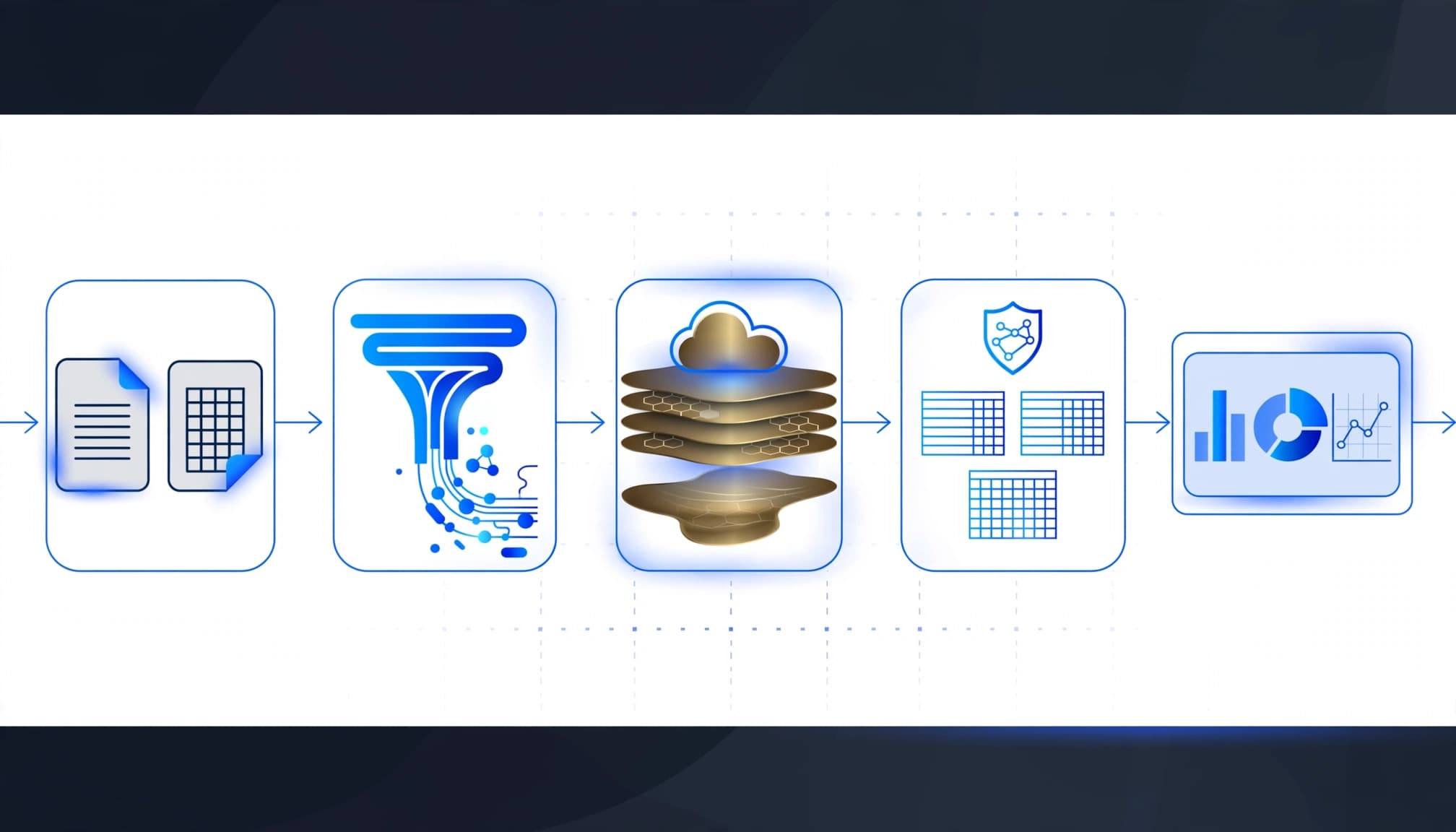
Select a destination in the data item and its file location when landing raw files through a pipeline. OPTIMIZE applies to Delta tables, not arbitrary CSV or ZIP files.
OneLake shortcuts can expose existing external data without migrating it. Shortcuts preserve the source layout, but they don’t compact its files.
Choose ingestion tools around the parsing work
For a single incoming legacy flat file, Fabric Data Factory pipelines can orchestrate copying, notebooks, and downstream processing, making them a fit for teams replacing Luigi pipelines.
Retain Python notebooks with custom Python scripts for file parsing when semi-structured files, such as CSV and XLSX inputs, vary in columns or layout across deliveries. Use Dataflows Gen2 where Power Query transformations suit the requirement.
Start with one feed and preserve its existing validation rules. Add source-file tracking and retry handling before scaling, so reruns don’t duplicate records or require manual Excel reconciliation.
A Microsoft Fabric Warehouse suits SQL-first structured analytics, including data from a SQL database. Our Lakehouse and Warehouse comparison explains when raw-file access and Spark justify adding a Lakehouse.
Measure Performance Before Increasing Capacity
Small-file remediation should improve a defined workload, not merely make a storage listing look tidier.
Compare ingestion duration, transformation time, SQL query latency, and report responsiveness before and after maintenance. Measure workload and maintenance consumption, including ephemeral compute, separately from persistent storage.
The Fabric Capacity Metrics app helps connect workload activity with capacity consumption. Our Microsoft Fabric capacity planning guide explains why workload mapping should precede a capacity upgrade.
Keep Power BI semantic model optimization in scope. Compacted tables won’t correct inefficient DAX, unnecessary columns, or an unsuitable model design.
For Power BI-to-Microsoft Fabric migration, establish acceptance criteria across both layers. Faster table scans matter only if reporting becomes faster or more reliable.
Assign an owner to file-layout monitoring and maintenance. Include schedules, failure alerts, retention requirements, and access controls in Microsoft Fabric governance rather than leaving them inside an undocumented notebook.
Customer Success: Migros Industrie
Microsoft’s Migros Industrie customer story describes how Fabric and real-time analytics improved production efficiency. This outcome depends on ingestion, processing, and timely access to operational information. The story connects engineering choices with analytics delivery, but doesn’t report small-file remediation benchmarks.
For example, consider a fictional mid-market manufacturer with fragmented data ingestion and slow operational reporting. Its team compacts targeted Delta tables and improves write batching, then sees more responsive reports in this illustrative scenario. This outcome isn’t a reported Migros result. The lesson is to measure table maintenance against workload results, including reporting responsiveness, before expanding compaction across a lakehouse.
How Spargent Supports Fabric Optimization
At Spargent, our Microsoft Fabric consulting services connect data engineering decisions with reporting speed, operating cost, and support requirements.
We help U.S. mid-market and enterprise organizations design, implement, migrate, optimize, and support Fabric across the full data lifecycle. That includes Data Factory pipelines, Dataflows Gen2, Lakehouse, Warehouse, OneLake, Power BI integration, semantic models, governance, and Real-Time Intelligence.
As a Microsoft Fabric implementation partner, we support internal analytics teams and organizations without a dedicated data function. Our data engineering services cover ingestion design and table maintenance; managed services provide ongoing monitoring and support.
Our delivery is built around U.S. companies, with senior Microsoft Fabric specialists based in Europe. Strong communication and an efficient cost structure offer a cost-conscious alternative to traditional USA-only consulting models.
Whether you plan to migrate to Microsoft Fabric or improve an existing deployment, we connect platform work with measurable reporting outcomes. The goal is less manual reconciliation, clearer ownership, and better use of your Microsoft investment.
Frequently Asked Questions
Does OneLake remove the need for a Lakehouse?
The shared storage layer provides the foundation. That item is the usual Fabric choice for managing raw files alongside Delta tables. A SQL-first team can start with Warehouse when raw-file processing isn’t required.
Will compaction improve every slow Power BI report?
No. It can reduce storage-read overhead, but report speed also depends on semantic models, DAX, storage mode, and capacity contention. Diagnose those layers separately before attributing every delay to small files.
How often should OPTIMIZE run?
Match maintenance to fragmentation growth and reporting needs. Frequently appended tables may need regular maintenance, while stable tables need little. Measure the improvement against maintenance cost instead of applying one schedule everywhere.
Fix the Write Pattern, Then Maintain the Table
Small-file problems return when ingestion keeps producing fragmented tables. Combine targeted compaction with better batching, sensible partitioning, and measured maintenance.
If reporting remains slow or capacity costs keep rising, Optimize Fabric Performance and Cost with Spargent. We’ll review your current environment and identify the next practical step across ingestion, table layout, and reporting.
