
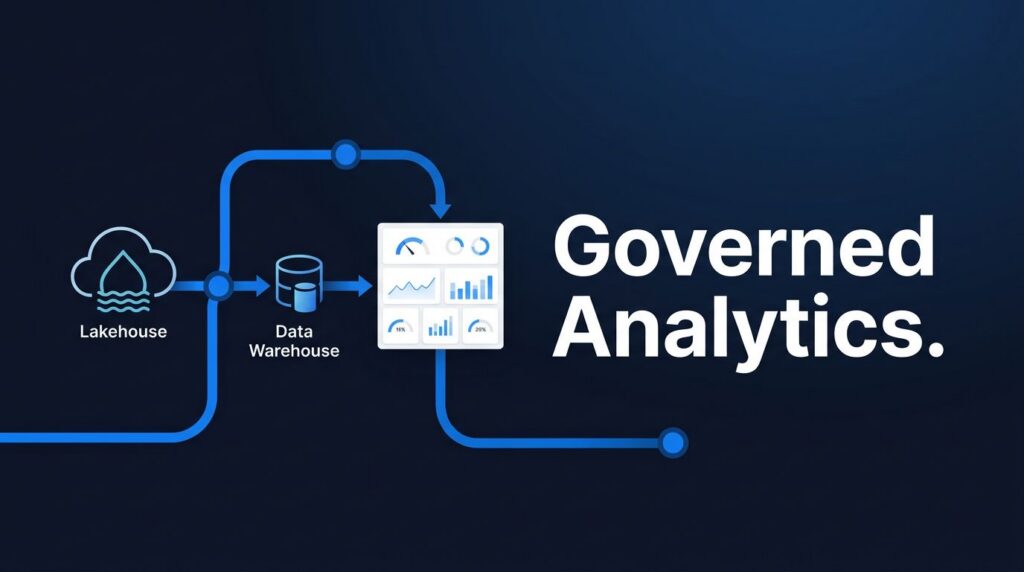
Analytics scaling often fails in subtle ways. As reports and users increase, teams face refresh failures, duplicate data, and a return to manual spreadsheet processes.
Microsoft Fabric integrates data movement, storage, warehousing, reporting, governance, and AI in a single platform. However, small businesses often encounter challenges when treating it as a basic dashboard upgrade. These common mistakes lead to slower reporting, reduced control, increased costs, and unexpected rework.
Key takeaways for busy readers
- Start with one high-value use case, not a company-wide rollout.
- Plan Microsoft Fabric capacity planning, governance, workload separation, and monitoring early.
- Assign clear roles to each layer. Ingestion, storage, modeling, and reporting should remain distinct.
- Use Microsoft Fabric Lakehouse, Microsoft Fabric Warehouse, and Fabric semantic models with clear purpose.
- Go-live is only the midpoint; ongoing support and tuning are as important as initial setup.
The five most common Microsoft Fabric mistakes for small businesses are:
1. Treating Fabric like a simple BI upgrade
2. Skipping capacity planning and performance design
3. Moving messy data into Fabric without fixing the design
4. Waiting too long to set up governance and access control
5. Ignoring integration, monitoring, and ongoing support
Mistake 1: Treating Microsoft Fabric like a simple BI upgrade
Many teams view Fabric as “Power BI plus a few extras,” but this overlooks its full capabilities. Fabric is a SaaS analytics platform that combines Data Factory, lakehouse, warehouse, real-time analytics, and Power BI, all operating over shared storage in OneLake.
What gets overlooked when teams focus only on dashboards
When planning focuses only on reports, old habits persist. Teams continue manual Excel cleanup, one-off CSV uploads, and duplicated datasets, while neglecting ingestion design, shared storage, and reusable transformation logic.
This approach also weakens Microsoft Fabric Power BI integration. While reports may migrate, underlying data issues remain. Poor Dataflows Gen2 implementation or disorganized shortcuts can turn OneLake into a collection of duplicates rather than a trusted shared layer.

### Why this slows down analytics as the company grows
A dashboard-first setup may work for a single team but fails when multiple departments require consistent data. Each request becomes unique, causing delays as teams reconcile totals instead of making decisions.
Mistake 2: Skipping capacity planning and performance design
Small businesses often assume they can add capacity later, but Microsoft Fabric capacity planning should begin before adoption increases.
Why under-sized capacity hurts more than people expect
Common symptoms include slow refreshes, delayed pipelines, report throttling, and failed jobs during peak times. Users notice late data, not the technical cause, which quickly erodes trust.
How to think about workload mix before go-live
Heavy data preparation should not compete with executive reporting. Real-time jobs require separate scheduling from large refreshes. Effective Microsoft Fabric performance relies on model design, partitioning, and Power BI semantic model optimization, not just raw capacity.
Teams that monitor workload and costs early typically avoid unexpected issues. Begin by reviewing current Fabric capacity and monitoring refresh times to identify problems early, If reports are already slowing, prioritize Optimizing Fabric Performance and Cost.
Mistake 3: Moving messy data into Fabric without fixing the design
FFabric cannot fix a poor data model. Duplicated, unclear, or loosely defined source data will carry over to the new platform.
The signs your data model is not ready for scale
Look for repeated Excel extracts, inconsistent reports, and unclear pipelines. When business rules are scattered across personal files, dataflows, and report logic, the setup becomes unsustainable.
Microsoft Fabric data engineering services can help here. Clear naming, stable keys, effective partitioning, and consistent medallion-style layers reduce confusion before it spreads.
When to use Lakehouse, Warehouse, or semantic models
Use Microsoft Fabric Lakehouse when you need flexible storage, notebooks, and raw-to-refined data work. Use Microsoft Fabric Warehouse when SQL-driven business reporting needs stronger structure and shared governance. Then keep Fabric semantic models focused on trusted business logic and fast consumption.
If you plan Power BI to Fabric Migration, avoid moving all assets unchanged. Strengthen weak areas first, then proceed with your migration plan.
Mistake 4: Waiting too long to set up governance and access control
Governance is often delayed until later phases, which is a mistake. Microsoft Fabric governance should guide the initial rollout, as access, ownership, and release practices influence all future decisions.
Why small teams need stronger controls, not weaker ones
Smaller teams have less margin for error. A single broken model, shared credential, or overwritten workspace can disrupt reporting for days. Strong controls enable small teams to work efficiently by clarifying data ownership and trust.

### What good governance looks like in a Fabric rollout
Begin with workspace standards, development and production separation, naming conventions, release procedures, and clear ownership for each dataset and pipeline. Implement row-level or column-level access as needed. If your team requires assistance with secure, efficient shared access, OneLake Consulting offers expert guidance on access models, security reviews, and best practices for managing data exposure. This ensures proper setup from the start and prevents costly rework.
A cleaner architecture also reduces duplication. This article on reducing data management cost with Fabric supports that point.
Comparison table: quick fixes versus scalable Fabric habits
This comparison illustrates how prioritizing short-term speed can lead to long-term rework.
| Area | Quick fix | Scalable habit |
|---|---|---|
| Speed to launch | Move reports first | Start with one use case and platform design |
| Data quality | Patch issues in reports | Fix source and transformation rules early |
| Governance | Shared workspaces | Clear ownership and release rules |
| Performance | Add capacity after pain | Separate workloads and tune models upfront |
| Long-term cost | Duplicate storage and manual fixes | Reusable pipelines and trusted shared data |
Quick fixes often become more costly as additional business teams join.
Mistake 5: Ignoring integration, monitoring, and ongoing support
Fabric requires ongoing management. It needs reliable source system connections, active monitoring, and designated responsibility for post-launch improvements.
Why integrations fail when they are rushed
Legacy systems often introduce unusual formats, outdated credentials, and unstable file transfers. Rushed connector setups result in broken data flows and frequent manual fixes. Many teams choose Fabric Data Factory consulting, Microsoft Fabric migration, and targeted modernization support instead of attempting a large-scale migration all at once.
What to watch after go-live
Monitor failed pipelines, slow refreshes, capacity spikes, report load times, model size, and team adoption. For streaming data, track Fabric Real-Time Intelligence workloads separately to prevent interference with routine reporting.
Effective monitoring also helps control costs. Reviewing Fabric capacity costs is important, as is establishing a clear support model, whether through internal ownership or Microsoft Fabric managed services.
Comparison table: doing it alone versus using Microsoft Fabric consultants
For mid-market teams, the decision is typically between speed and depth, rather than control versus lack of control.
| Criteria | Internal-only approach | With Microsoft Fabric consulting services |
|---|---|---|
| Setup speed | Slower if the team is stretched | Faster with proven patterns |
| Risk reduction | More trial and error | Better architecture and migration planning |
| Platform design | Depends on in-house seniority | Help from a Microsoft Fabric expert |
| Migration support | Often limited to reporting | Broader help across pipelines, OneLake, and models |
| Post-launch optimization | Reactive tuning | Ongoing Microsoft Fabric analytics consulting |
The right partner complements your team rather than replacing it.
A strong Microsoft Fabric implementation partner addresses gaps your team cannot cover alone. Typical consulting roles include migration planning and execution, developing modern data architecture, providing hands-on training, optimizing performance and cost, establishing governance and access control, and offering ongoing support for troubleshooting and tuning.
By working with consultants who bring both technical expertise and practical experience, leaders can accelerate adoption, avoid costly mistakes, and prepare their teams to fully leverage Fabric’s capabilities.
A realistic example of how a small business avoids these mistakes
A US retail distributor with 700 employees faced a common challenge: sales reports were in Power BI, inventory data resided in SQL and flat files, and finance depended on Excel. Each month-end close caused significant disruption.
The starting point: messy data and slow reporting
Leadership wanted a single, trusted margin view. Instead, they managed multiple extracts, delayed figures, and spent excessive time verifying data accuracy.
The rollout plan: small wins first
They selected inventory and margin as the initial use case, retained legacy systems where appropriate, used OneLake shortcuts strategically, improved the core model, and established workspace rules before broader rollout. A phased migration to Microsoft Fabric reduced risk, and support from Microsoft Fabric consulting enabled faster progress without expanding the internal data team.
The outcome: speed, trust, and less manual work
Reporting time decreased from days to hours, and Excel handoffs were significantly reduced. Trust improved with a single model managing metric logic. Spargent Analytics is well-suited for US clients seeking senior expertise without excessive staffing, offering Microsoft Fabric consultants, managed services, and EU-to-USA delivery for improved ROI.
Best practices that help small businesses scale Fabric the right way
Start with the use case that creates the fastest business value
Choose a use case with clear challenges and measurable value, such as sales reporting, financial close, or inventory visibility. This approach provides a visible business case for analytics modernization.
Design for repeatability, not one-off success
Adopt shared naming conventions, reusable patterns, and release practices to simplify future projects. Effective Microsoft Fabric migration typically progresses domain by domain, rather than all at once.
Use outside help where it shortens the path to value
A strong partner can assist with design, OneLake consulting, Fabric Data Factory consulting, and post-launch tuning. While Spargent Analytics often works with US-based mid-market and enterprise teams, these services and expertise are also available and tailored for small businesses. Small teams benefit from practical Microsoft Fabric consulting, data engineering services, and Europe-based delivery, with solutions sized to fit their budgets and growth needs.
Built for US companies. Delivered by senior Microsoft Fabric experts from Europe.
This model provides customers with clearer communication, senior engineering expertise, and a more efficient cost structure than many US-only staffing approaches.
If you need assistance with scope, governance, or migration, book Microsoft Fabric Discovery Call.
A simple checklist before you scale Microsoft Fabric further
Before your next phase, confirm a few basics:
- Define one priority use case with a business owner.
- Review Microsoft Fabric capacity planning against refresh windows and heavy jobs.
- Check workspace ownership, release flow, and access rules.
- Test source integrations, credentials, and failure handling.
- Review semantic models for duplication and report performance.
- Decide who owns monitoring, support, and Microsoft Fabric performance optimization after go-live.
If these answers are unclear, your next rollout may repeat the same Microsoft Fabric mistakes. A brief review can prevent months of remediation. Request a Fabric Readiness Assessment before expanding to new domains or workloads.
This assessment reviews your current analytics setup, identifies potential gaps or risks, and provides tailored recommendations on architecture, governance, and performance.
You will receive a clear action plan, a summary of quick wins, and a practical improvement timeline, helping leaders focus their efforts on a smoother, more valuable next phase.
Common questions about Microsoft Fabric mistakes
Is Fabric enterprise-ready for small businesses?
Yes. It’s built on mature Microsoft foundations, including Azure storage, SQL engines, and Power BI, but smaller teams still need good design.
When should a company move from Power BI to Fabric?
Move when reporting pain starts to come from data prep, storage, governance, or pipeline sprawl, not only dashboard design.
How do you know capacity is too small?
Watch for slow refreshes, queued jobs, throttling, and report delays during peak usage.
Should you start with Lakehouse or Warehouse?
Start with the workload that fits the job. Lakehouse is better for flexible raw and refined data work. Warehouse is better for governed SQL analytics.
When should you bring in outside help?
Bring in a partner when your team lacks senior design depth, migration time, or post-launch support. That’s where Microsoft Fabric consulting USA and a focused Microsoft Fabric expert can shorten the path.
Conclusion
The most significant Microsoft Fabric mistakes rarely stem from the product itself. Instead, they result from inadequate planning, poor data design, weak governance, and insufficient post-launch support.
Small businesses succeed by building a robust platform, not just dashboards. Begin with a clear use case, establish governance early, and monitor performance from the start. For a practical roadmap to data platform modernization, Request a Fabric Readiness Assessment.
