
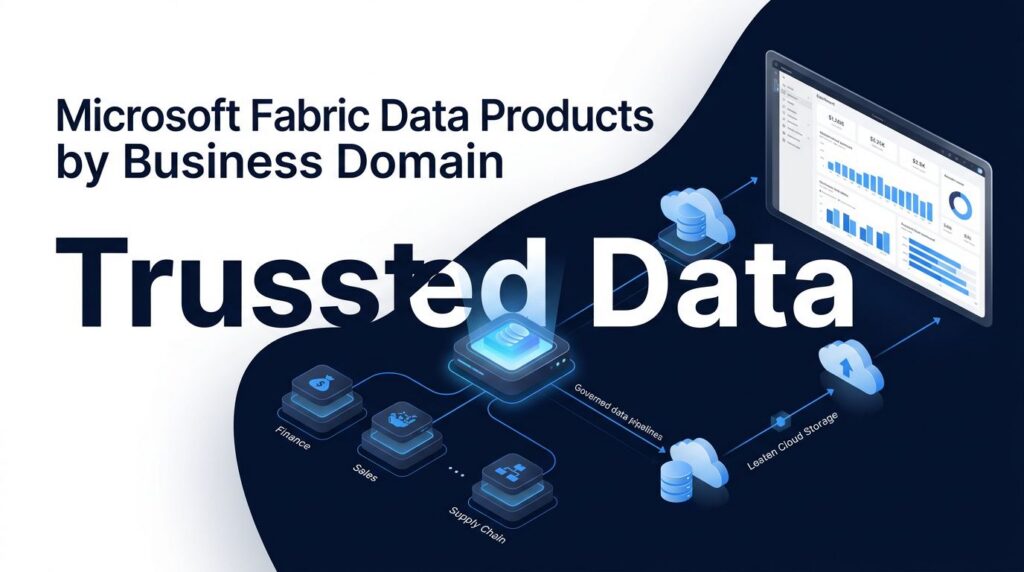
A shared data platform can still create confusion when every team publishes reports with different definitions. Microsoft Fabric data products give each business domain a clear way to own, improve, and share trusted data without creating new silos.
For U.S. companies already invested in Power BI, Azure, and Microsoft 365, this enterprise SaaS platform and unified analytics platform reduces manual Excel reporting and speeds up time-to-insight. It also gives engineering teams a practical structure for governance, capacity, and self-service analytics that supports a Data Mesh architecture.
Key Takeaways
- Following the principles of Data as a Product within a Data Mesh architecture, a data product is a managed, documented, and business-ready set of data, models, and reporting assets, rather than a raw table.
- Fabric domains organize ownership by business area, while workspaces handle permissions, deployment, cost tracking, and day-to-day operations.
- OneLake supports shared access across domains, so teams can reuse trusted data without maintaining duplicate copies.
- Gold-layer data, semantic models, ownership rules, and robust data governance turn isolated datasets into dependable products.
- Strong governance and capacity management keep domain autonomy from becoming uncontrolled workspace sprawl.
Designing Microsoft Fabric data products around domains
A domain-based approach starts with the business, not the technology. Finance owns finance metrics. Operations owns production and supply chain data. Sales owns pipeline and account performance. Each group remains accountable for the meaning, quality, and appropriate use of its information.
In Microsoft Fabric, a domain is a logical grouping for related data and analytics work. Microsoft describes domains as a way to organize data by business area and support discovery across the organization. Its guidance on Fabric domains and data mesh architecture is useful for companies implementing a decentralized Data Mesh architecture that needs distributed ownership without abandoning enterprise controls.
Embracing Data as a Product transforms departmental reporting. A data product goes beyond a basic dashboard by having a defined purpose, named owner, source systems, refresh expectations, quality rules, security classification, and supported consumers. For example, an operations data product may combine ERP work orders, equipment telemetry, inventory, and production schedules, turning raw operational data into a reliable asset. It can then supply a governed semantic model to Power BI reports used by plant leaders.
That distinction matters. Raw ERP extracts often answer a narrow technical question. A trusted operations product answers recurring business questions with consistent definitions, such as on-time production, downtime, yield, and backlog.
The core principle is simple: domains own meaning, while the platform team provides shared standards and guardrails within an overarching data governance strategy. That balance gives business teams room to move without producing five versions of the same KPI.
Separate business ownership from Fabric operating boundaries
A domain should map to a business capability with durable responsibilities. Good examples include finance, customer service, supply chain, clinical operations, student success, or merchandising. Avoid creating domains for every project, source system, or executive request.
Workspaces are the practical boundary inside the platform. Microsoft recommends using workspaces to apply access control, operational policies, and cost tracking for each domain. Its unified data platform strategy guidance also recommends assigning ownership and budgets at the domain level.
A mature design usually includes more than one workspace per domain. The exact structure depends on your release process, regulatory needs, and team size.
| Operating area | Main responsibility | Typical Fabric items |
|---|---|---|
| Domain development workspace | Build and test ingestion, transformations, and models | Pipelines, notebooks, lakehouses, Dataflows Gen2 |
| Domain production workspace | Run approved products for business users | Warehouses, semantic models, reports, dashboards |
| Shared platform workspace | Provide reusable standards and central monitoring | Templates, monitoring assets, shared reference data |
| Enterprise governance layer | Set policy and discover trusted assets | Domains, OneLake Catalog, Microsoft Purview controls |
The takeaway is that a domain is not the same thing as one workspace. A finance domain may require separate development and production workspaces, plus a dedicated workspace for highly restricted payroll data. Meanwhile, the enterprise platform team can maintain shared ingestion templates and quality checks that every domain uses.

OneLake is the shared foundation beneath these boundaries, functioning as a unified data storage layer for the entire organization. It gives teams a common logical data lake while allowing distinct ownership models and enabling cross-tenant data sharing across domain boundaries. Well-designed shortcuts can expose data held in another OneLake location or supported external storage without routine copying. That makes cross-domain reporting more practical, especially when finance needs approved operational data or customer teams need governed revenue metrics.
However, shared access doesn’t remove the need for clear accountability. Every product should identify who approves changes, handles incidents, reviews quality, and supports downstream users.
Build each product through bronze, silver, and gold layers
A domain product needs a predictable route from source system to business decision. The medallion pattern remains a practical option because it separates raw capture, cleaned data, and published business assets within a modern lakehouse architecture.
Bronze data keeps a faithful record of source extracts, mirrored database changes, file deliveries, or event streams stored in the delta format. It should preserve source context and timestamps. This layer is valuable when engineers need to trace a result back to an original transaction.
Silver data applies data-quality checks, standardization, deduplication, and business transformations. At this point, a customer identifier may be conformed across CRM, billing, and service systems. A production event may gain equipment, plant, and shift context.
Gold data is where a domain publishes business-ready datasets, aggregates, and models. Many Microsoft Fabric data products should originate here because consumers need stable structures and agreed definitions, not raw operational fields.
Microsoft’s Lakehouse end-to-end architecture tutorial shows how Fabric supports data acquisition, processing, and consumption in one platform. The design can use a Microsoft Fabric Lakehouse when a team needs open Delta tables, Data Engineering capabilities, and flexible analytical storage. A Microsoft Fabric Warehouse is often a better fit when teams need a curated relational layer and strong T-SQL workflows.
The choice doesn’t need to become a platform argument. A supply chain domain may prepare large event and sensor datasets in a Lakehouse, then publish dimensional reporting tables in a Warehouse. Power BI can consume either through the right semantic design.
Gold data is not automatically trustworthy because it sits in a gold folder. Trust comes from documented rules, monitored quality, named owners, and controlled changes.
Data ingestion also deserves product-level design. Fabric Data Factory consulting can help teams establish repeatable pipelines, source onboarding rules, error handling, and alerting. Data Factory handles scheduled and batch data integration, while Mirroring can reduce custom extraction work for supported operational sources. Shortcuts can expose approved external data without another copy, supported by efficient data ingestion patterns.
A carefully planned Dataflows Gen2 implementation works well for low-code transformations that analysts and data stewards can maintain. Still, don’t place complex, business-critical logic in scattered flows without source control, testing, and ownership. Use notebooks, Spark processing for Data Engineering, or reusable functions when transformations need stronger engineering discipline built on the delta format.
Publish semantic models as the product interface
Business users and business analysts should not need to inspect a Lakehouse or write SQL to answer normal operational questions. They need a clear interface with measures, relationships, descriptions, row-level security, and report-ready fields. In Fabric, that interface is often the semantic model.
Strong Fabric semantic models are built around business concepts rather than source-system quirks. A sales model should define bookings, recognized revenue, pipeline, discounts, and customer segments once. It should not force each report creator to interpret fields such as net_amt_2 or status_cd. Instead of querying an underlying SQL database directly, business analysts can rely on these curated structures for safe and fast reporting.
This is where Microsoft Fabric Power BI integration delivers visible value. The same curated assets can power governed Power BI reports, Excel analysis, Teams discussions, and embedded operational workflows. Instead of refreshing spreadsheets from separate extracts, teams work from consistent data and measures.
Use star schemas where possible. Keep facts at a clear grain. Build conformed dimensions for customers, products, dates, locations, and employees. Then document the measures that executives use to run the business.
Power BI semantic model optimization also affects user confidence. Excessive bidirectional relationships, high-cardinality columns, poorly designed DirectQuery models, and uncontrolled calculated columns can make Power BI reports slow or inconsistent. Model owners should review refresh duration, query patterns, report usage, and model size before a product becomes widely adopted.
For larger organizations, create a small semantic governance group. It does not need to control every measure. Its role is to prevent conflicting enterprise calculations, certify shared models, and help domains reuse common dimensions.
Set a product contract before broad adoption
A data product contract makes expectations visible. Without one, consumers assume a report refreshes every hour, an owner assumes daily is enough, and no one notices the mismatch until a decision goes wrong.
The contract should cover the following items:
- The product’s business purpose, domain owner, technical owner, and approved consumers.
- Data sources, refresh frequency, expected availability, and permitted maintenance windows.
- Definitions for major measures, quality thresholds, known limitations, and lineage.
- Security classification, retention rules, access process, and sensitivity labels.
- Change procedures, including how downstream report owners receive notice.
This structure supports Microsoft Fabric governance and effective data governance without turning governance into a ticket queue. Domain teams make decisions close to the business context. Central leaders set minimum controls for classification, workspace setup, deployment, naming, access, and audit requirements.
Microsoft Purview capabilities can apply sensitivity labels and help teams manage discovery and protection across the platform. By leveraging Microsoft Purview, organizations ensure that Data as a Product initiatives remain secure and compliant from ingestion to consumption. OneLake security can add controls at item, folder, row, and column levels when appropriate. Healthcare, financial services, and education teams should map these controls to existing privacy and compliance obligations before publishing data broadly.
A product contract also helps resolve a common problem in analytics modernization: teams often share data before they agree on the service they are providing. Treating the product as an internal service creates better behavior on both sides. Producers maintain it. Consumers know what it can support.
Plan migration and implementation around priority products
A platform migration should not begin with a mandate to move every asset. Start with a short list of products tied to recurring reporting pain, costly manual work, or unreliable data. A monthly close pack, plant performance dashboard, customer retention report, or compliance report often provides a stronger starting point than a broad technology inventory.
A successful Microsoft Fabric migration assesses current sources, ETL jobs, Power BI datasets, security rules, refresh schedules, and user groups. It also identifies work that should be retired rather than moved. Many companies discover old dashboards that nobody uses, duplicate extracts, and stale measures that no longer match finance rules.
When you migrate to Microsoft Fabric, preserve business continuity first. Build the target product, reconcile its output with the existing process, test security, then move users in waves. That approach reduces the risk of losing trust during the transition.
Moving legacy systems to an enterprise analytics platform often starts with a semantic model audit. Some reports can connect to shared Microsoft Fabric models with limited revision. Others need redesign because their calculations are embedded in individual PBIX files or depend on uncontrolled Excel inputs.
Data platform modernization also requires practical capacity decisions. Microsoft Fabric capacity planning should consider interactive report use, refresh windows, engineering workloads, concurrency, and expected growth. A capacity that looks adequate during a pilot can struggle when several teams run notebooks, refresh large models, and open executive reports at the same time.
After go-live, Microsoft Fabric performance optimization focuses on observed workload behavior, especially when transitioning traditional data warehouse architectures to the cloud. That may include tuning transformations, reducing data movement, improving model design, staggering refreshes, and separating high-demand workloads where it makes financial sense. As you scale your modern data warehouse, teams that need help with monitoring and utilization can Optimize Fabric Performance and Cost before capacity waste becomes routine.
Add real-time products only where the decision needs speed
Some domains need data in motion. Manufacturing teams may monitor equipment signals. Retailers may watch inventory and transactions. Security teams may correlate events. For these use cases, Fabric Real-Time Intelligence can ingest, process, analyze, visualize, and act on streaming data.
The product still needs an owner, a quality standard, and a clear decision use case. Real-time data is expensive and complex when nobody can describe the action it supports. Using Real-Time Intelligence to handle high-frequency streaming data can also feed downstream Data Science workflows, while Copilot in Fabric and predictive machine learning models help teams surface automated insights. A useful product might alert a maintenance team when sensor conditions indicate a likely failure. A weak one merely displays a live chart because live data sounds appealing.
One of Spargents’ clients, a mid-size USA retailer, used Fabric and Real-Time Intelligence to centralize transactional data in OneLake and support live reporting in Power BI. Its teams could respond more quickly to sales trends, promotions, inventory, and staffing needs. The broader collection of Microsoft Fabric customer stories shows how industry requirements shape practical implementations.
For many mid-market organizations, daily or hourly refreshes will meet the business need. Reserve real-time design for decisions where minutes genuinely matter.
Use specialist delivery without expanding the internal team
Building a domain operating model requires senior-level skills in data engineering, data science, BI, governance, and platform. Most companies do not need to hire every one of those roles full-time. They need targeted help to lay the foundation, deliver priority products, and leave internal teams with standards they can run on.
Spargent Analytics provides Microsoft Fabric consulting services for U.S. mid-market and enterprise organizations that need implementation support, specialist capacity, or an ongoing delivery team. Its Microsoft Fabric consultants work across ingestion, pipelines, Dataflows Gen2, Lakehouse, Warehouse, OneLake, Power BI, semantic models, governance, and real-time analytics.
The delivery model is built around U.S. business needs and delivered by senior Microsoft Fabric specialists from Europe. Clients gain experienced engineers, clear communication, and an efficient cost structure that can produce better ROI than a traditional U.S.-only consulting model.
Support can range from OneLake consulting and architecture reviews to Microsoft Fabric data engineering services, model design, and managed operations. As organizations adopt this unified SaaS platform, an implementation partner should also help business owners define products, adoption priorities, and measurable outcomes, rather than only deploy technical assets.
For organizations with limited internal capacity, a Microsoft Fabric expert can accelerate analytics modernization while reducing dependence on a large permanent data team. Spargent also offers Microsoft Fabric managed services for monitoring, enhancement work, support, governance reviews, and ongoing platform improvement.
U.S. leaders seeking data engineering consulting teams can use Spargent’s European delivery model without sacrificing seniority or business focus. Its Microsoft Fabric consulting USA approach aligns technical delivery with reporting speed, cost control, security, and adoption, while incorporating advanced capabilities like Copilot in Fabric to maximize user productivity.
If fragmented reporting, slow refreshes, or uncertain platform direction are holding back priority decisions, Book a Microsoft Fabric Discovery Call to review the current environment and identify the next product worth building.
Frequently Asked Questions
What are Microsoft Fabric data products?
Microsoft Fabric data products are managed, documented, and business-ready sets of data, models, and reporting assets owned by specific business domains. Instead of raw tables or isolated dashboards, they provide trusted and consistent metrics for regular business decisions.
How do domains and workspaces work together in Fabric?
Domains organize data ownership by business areas like finance or operations to support decentralized governance. Workspaces serve as the practical boundaries within the platform to manage access control, deployment pipelines, and cost tracking for each domain.
Why are semantic models important for data products?
Semantic models provide a clear interface for business users with pre-defined measures, relationships, and row-level security. They prevent conflicting calculations across reports and allow teams to consume consistent data directly through Power BI and Excel.
How does OneLake support cross-domain data sharing?
OneLake acts as a unified data storage layer beneath all domains, allowing teams to reuse trusted data without maintaining duplicate copies. Using shortcuts, teams can securely access data across domain boundaries while preserving clear accountability.
Build trusted products, not another reporting backlog
The strongest Fabric programs make business domains responsible for data meaning while giving them shared engineering and governance standards. That model improves reporting speed because teams can find, trust, and reuse published products.
Well-designed Microsoft Fabric data products reduce Excel workarounds, strengthen Power BI adoption, and make platform investment easier to measure. When organizations embrace Data as a Product within a Data Mesh architecture supported by strong data governance, the goal becomes a dependable set of business assets that people can use with confidence rather than a larger collection of disconnected data projects.
