
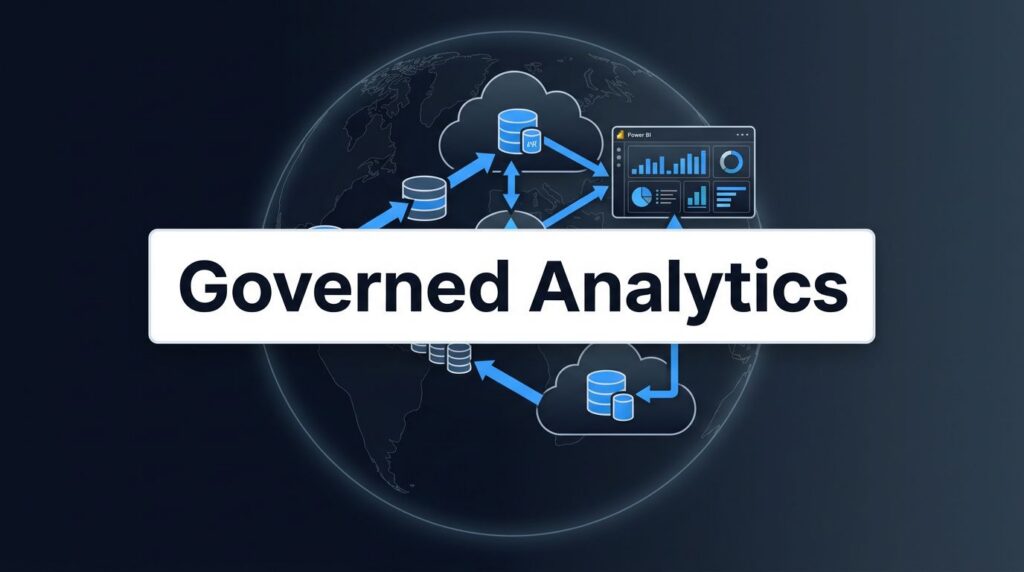
A disorganized tenant can cover up poor decisions for a long time, only to cause reporting failures with a single bad release. If your team develops in the same workspace where executives check KPIs, the issue is not the tool itself. The real problem is not having a solid plan for your Fabric workspace strategy.
Microsoft Fabric brings together data movement, engineering, warehousing, real-time analysis, and Power BI in one platform. This is only effective if you keep development, testing, and production separate, well-governed, and promoted with purpose. A clear structure makes the platform stable and reliable.
Key Takeaways
- Isolate Environments: Maintain separate development, testing, and production workspaces to protect live data and ensure controlled, predictable releases.
- Decouple Data and Reporting: Separate core engineering assets from reporting layers to enable smoother updates and improve the reuse of governed semantic models.
- Implement Role-Based Governance: Apply strict permission structures where development is flexible, but production is locked down to viewers to mitigate risk and maintain data integrity.
- Strategic Capacity Planning: Assign dedicated or appropriately sized capacities for different stages to avoid performance bottlenecks in production during heavy development or testing cycles.
Why workspace planning matters in Microsoft Fabric
Microsoft Fabric is more than a set of separate tools. It combines Data Factory, Lakehouse, Warehouse, Real-Time Intelligence, and Power BI into one SaaS platform built on OneLake. A workspace is not just a storage area; it is where teams manage security, releases, collaboration, and ownership.
This is why having a strong workspace strategy is so important. A single bad decision can affect pipelines, notebooks, semantic models, and executive dashboards. If developers use production data for testing, analysts publish reports from personal workspaces, or teams use different naming rules, the platform can quickly become disorganized.
Many mid-sized companies run into these problems early. They often use Microsoft 365, Azure, or analytics tools, but lack enough senior data engineers. Some have a small, overworked BI team, while others have no analytics team. In both situations, the platform needs clear rules to support managed self-service BI.
A clean setup gives you faster reporting, fewer spreadsheet workarounds, and less rework. It also gives you better release control as your environment grows into an AI-ready data foundation. That matters because agents, Copilot experiences, and business users all depend on governed, current data.
The goal is simple. Developers need room to build. Testers need a safe place to validate. Business users need production to stay calm and predictable.
Start with separate dev, test, and prod workspaces
The first rule is easy to say and easy to ignore: keep each stage in its own workspace. Microsoft Fabric lifecycle management guidance supports this model because it protects production environments and makes promotion more controlled.
This simple structure works for most teams:
| Stage | Main purpose | Workspace roles | Data expectation | Release rule |
|---|---|---|---|---|
| Dev | Build and change items | Builders and admins | Sample or masked data when possible | Changes happen often |
| Test | Validate behavior and sign-off | Small tester group | Production-like data, controlled | Promote only after checks pass |
| Prod | Run trusted business workloads | Mostly viewers, few editors | Governed live data | No direct editing |
That table looks basic, but it prevents many avoidable outages. A team that edits production to save time usually pays for it later with broken refreshes, failed reports, or access mistakes.
For larger organizations, one set of dev, test, and prod workspaces for the whole company is rarely enough. A better pattern is to create workspace triplets by domain or data product. Sales, Finance, Operations, and Customer each get their own path. That keeps ownership clear and reduces the blast radius.
A naming pattern such as Sales-Data-Dev, Sales-Data-Test, and Sales-Data-Prod is boring on purpose. People find what they need faster, and new team members learn the tenant quicker.
Teams using a medallion architecture can still do this. Keep lifecycle stages separate first, then organize your bronze, silver, and gold assets inside each domain structure. A useful field view on that approach appears in this article on Fabric workspace best practices for medallion-based teams.
The Fabric community has also reinforced the role of dev, test, and prod workspaces in Fabric architecture. The main idea holds up across teams and industries: isolate change, then promote with control.
Keep data products and reports on different release cycles
Many teams make the same mistake when they move into Microsoft Fabric. They treat a workspace as one big bucket for everything. Pipelines, notebooks, lakehouse items, data warehouse assets, semantic models, and reports all land in the same place. That looks neat for a week, but it quickly leads to release chaos.
A stronger model separates the data product from the reporting surface. Put core engineering assets in a governed workspace. Then publish thin reports from another workspace that points to approved semantic models. This is where Microsoft Fabric Power BI integration becomes much stronger. Your data team can update logic without forcing every report author to work in the same area.
That also improves reuse. A single set of well-managed semantic models can support many reports, apps, and business units. In parallel, semantic model optimization becomes easier because model owners can tune storage modes, refresh behavior, and measures without stepping on report design work.
A practical pattern often looks like this: land raw data through Data Factory or OneLake shortcuts into a lakehouse, shape curated tables there, publish high-trust serving structures through a data warehouse when SQL access matters, and expose approved semantic models for Power BI consumption.

This is also where Fabric Data Factory consulting and Dataflows Gen2 implementation can pay off. Dataflows Gen2 can help business-owned source cleanup. Data Factory pipelines can handle repeatable ingestion, orchestration, and error handling across ERP, CRM, files, and cloud stores. Expert OneLake consulting keeps that data accessible across workloads without copying it into every workspace.
When the layout is right, reporting gets faster. Manual Excel exports drop. Business users trust the numbers more because model logic lives in one managed place. If your team is still sorting out ownership, source systems, or workspace boundaries, Request a Fabric Readiness Assessment before you build more debt into the tenant.
Set permissions and governance by stage
A good workspace structure is only half the job. The other half is permissions. Dev should be flexible. Test should be controlled. Prod should be tight.
Give people more freedom in dev and far less in prod.
That sounds obvious, yet many Fabric tenants do the opposite. A broad admin list, too many editors in production, and shared service accounts create risk fast. In production, most users should consume reports and apps, not edit them. Keep build rights with a small group.
This matters even more because Microsoft Fabric now brings storage, models, and reporting closer together. Effective governance needs to cover workspace roles, data access, and downstream sharing. By implementing role-based access control, you can ensure that users only have the permissions necessary for their specific tasks. OneLake supports increasingly granular control at the item, folder, row, and column level, so teams can share data without exposing everything. Purview labels, policies, and clearly defined workspace roles also help carry protection across the entire data estate.
For regulated industries such as healthcare, financial services, and education, test data needs attention too. Use masked or anonymized data where possible. Keep approval steps before prod. Audit who can deploy. Tie service principals and pipelines to named owners.
You also need governance across domains. If Operations owns a model but Finance relies on it, define that contract up front. Otherwise, a change that looks harmless in dev can break month-end reporting in prod.
Fabric makes it easy to bring trusted data into Power BI, Excel, Teams, and Copilot experiences. That is helpful for adoption, but it raises the cost of sloppy permissions. A clean workspace strategy keeps distribution broad while access stays controlled.
Capacity planning keeps prod stable and cost under control
Workspace design and capacity design go together. If dev and prod sit on the same shared capacity, heavy notebook runs or test refreshes can slow executive reporting. That is why proactive capacity planning should be part of the original architecture rather than a rescue project later.
Many teams assign smaller capacity to dev and test, then reserve stronger isolated capacity for prod. This strategy creates performance separation and enables cleaner cost tracking. It also fits how teams actually work. Development is bursty, while production is steady and visible. By utilizing separate Fabric capacity for different stages, you can achieve better billing isolation and implement more accurate chargebacks across departments.
Effective capacity planning in Fabric is not only about SKU size. It is also about the specific shape of the workload. Frequent refreshes, large semantic models, pipeline concurrency, SQL queries, notebooks, and real-time event processing all compete for the same pool of capacity units. Successful workload management starts with understanding which processes can coexist and which ones require isolation to ensure your Fabric capacity remains performant.
If you reassign a workspace to a different capacity, schedule the move carefully. In-flight jobs can stop, so you must account for this when changing refresh windows, data gateway patterns, or pipeline timing. A good release plan includes operations, not only code promotion.
This is also where Fabric Real-Time Intelligence needs its own thought process. If you process event streams, alerts, or live telemetry, keep non-production event paths separate from production traffic. Real-time workloads can spike quickly, and production dashboards should never compete with test streams for available resources.
After go-live, many firms need help with tuning, monitoring, and cost review. That is why Microsoft Fabric managed services matter. The right support team can watch refresh failures, model growth, capacity trends, and access drift before they become business issues. If your tenant is already slowing down, Optimize Fabric Performance and Cost before the next reporting cycle gets hit.
Use deployment pipelines, Git, and migration rules
A workspace plan becomes effective when releases follow consistent, repeatable rules. Manual copying between workspaces is where errors typically begin, but Fabric provides robust solutions through deployment pipelines and Git integration.
Use deployment pipelines to move approved items seamlessly from development to test and production environments. You should parameterize connections, credentials, and environment-specific settings to ensure stability across stages. By utilizing Git integration, your team gains access to version history, rigorous code reviews, and the CI/CD discipline that ad hoc publishing simply cannot provide.
When companies migrate to Microsoft Fabric, they often bring outdated habits with them. The most common issue is workspace sprawl resulting from years of unmanaged self-service Power BI. A proper Microsoft Fabric migration begins with a thorough inventory. You must identify which workspaces are active, which semantic models are duplicated, which reports should be converted into thin reports against shared models, and which datasets are actually business products in disguise.
A Power BI to Microsoft Fabric migration is significantly smoother when you decouple core models from reports, assign clear ownership, and establish clean release paths early. This stage is also the ideal time to review your warehouse choices, Lakehouse design, shortcut strategy, and security boundaries. If you already utilize Power BI Premium, Fabric can extend that investment, provided the tenant is organized correctly.
The same release discipline must apply to ingestion and data engineering. Professional Microsoft Fabric data engineering services often include pipeline refactoring, Git setup, Data Factory migration, and comprehensive workspace reorganization. Teams modernizing legacy ETL processes or fragmented reporting are doing more than just adopting a new platform; they are executing a complete data platform modernization and analytics modernization simultaneously.
Migration also impacts business adoption. If a finance leader still relies on exporting data to Excel every Friday, the technical transition is not truly complete. Reports must arrive faster, with trusted semantics, delivered directly within the tools your team already uses.
For teams planning that shift, Plan Your Power BI to Fabric Migration before licenses, workspaces, and models drift in different directions.
Where a specialist partner changes the outcome
Mid-market companies rarely need more software. They need senior people who can make the software work cleanly. That is why the choice of partner matters.
Spargent Analytics is a specialist Microsoft Fabric implementation partner for US-based companies that want faster reporting, better governance, and stronger ROI from the tools they already own. Its delivery model is simple: built for US companies, delivered by senior experts from Europe. That gives buyers strong communication, senior hands-on delivery, and a better cost structure than the usual US-only staffing model.
Some clients have internal analytics teams and need extra depth for architecture, migration, or performance tuning. Others need an outside team to cover design and delivery end to end. In both cases, Spargent works where the pressure sits, including data ingestion, workspace architecture, semantic model design, governance, and production support.
That work can begin with Microsoft Fabric analytics consulting and turn into comprehensive support across the full lifecycle. We help clients navigate the complexities of Data Factory, Dataflows Gen2 implementation, and the design of a robust Lakehouse or Warehouse environment. Our approach often extends into OneLake architecture, performance optimization, and long-term managed services to ensure your platform remains scalable.
Strong partners also help with staffing math. Many buyers searching for expert data engineering support are trying to avoid hiring a full internal team before the project roadmap is clear. A seasoned group of consultants can move faster than a standard hiring cycle. A senior Microsoft Fabric expert can also stop bad architecture early, before rework hits your budget and organizational trust.
Spargent is a fit for manufacturing, healthcare, retail, education, finance, and other data-heavy teams that need practical delivery, not vague advice. If you want to sort out workspaces, migration, governance, or platform design with people who do this every day, Book a Microsoft Fabric Discovery Call.
Frequently Asked Questions
Why should I separate dev, test, and prod in Fabric?
Keeping stages in separate workspaces prevents accidental changes to production reports and allows for safe experimentation in development. This structure is essential for lifecycle management, ensuring that only validated, high-quality data reaches your business users.
Can I use the same capacity for all workspaces?
While technically possible, it is not recommended for performance stability. Sharing capacity between development and production can lead to resource contention, where heavy testing or notebook runs negatively impact the performance of production dashboards.
How does decoupling data models from reports help?
This approach allows your data engineering team to update underlying logic or data structures without forcing report authors to manually intervene. It promotes a “single source of truth” where multiple reports can consume the same governed semantic model.
What is the best way to handle releases in Fabric?
Utilize built-in deployment pipelines and Git integration to manage your releases. These tools provide version control, automate the movement of items between environments, and replace risky manual copying with disciplined CI/CD workflows.
Conclusion
A successful Microsoft Fabric environment does not start with dashboards. It starts with controlled workspaces, clear ownership, and disciplined promotion. When dev, test, and prod are separated, the whole platform becomes more reliable and easier to govern.
The best fabric workspace strategy is the one your team can execute consistently without friction. Keep your stages separate, split data products from reports, lock down production, and plan your capacity before usage spikes.
This structured approach leads to faster reporting, cleaner governance, and a more robust path for migration, scaling, and implementing AI-ready analytics across your organization.
