
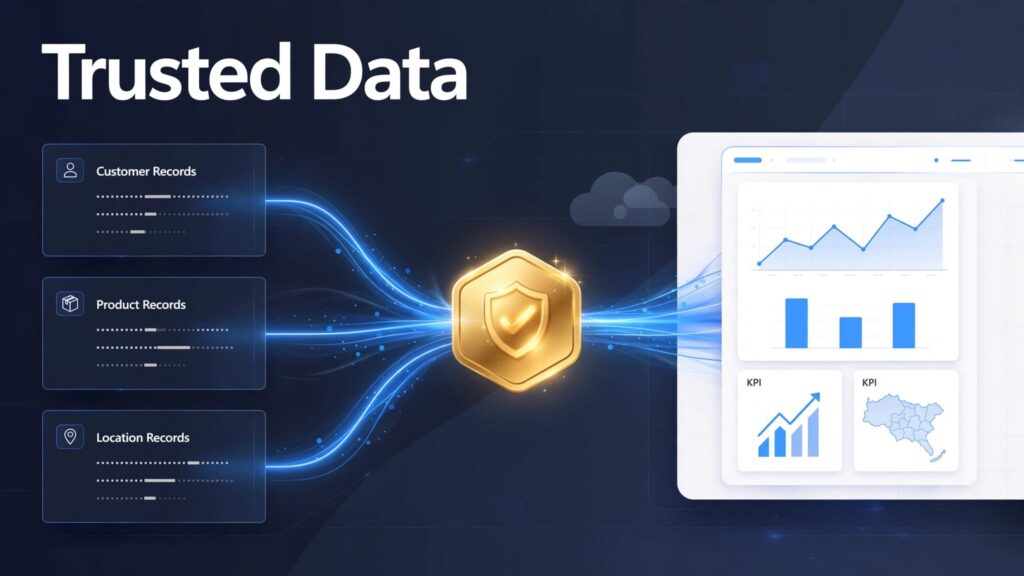
Customer, product, and location records often sit in data silos, carrying different identifiers and definitions across source systems. Faster reporting won’t fix conflicting data.
The approach lets organizations publish trusted master records to a shared analytics platform. A single source of truth requires clear ownership and rules, not just shared storage. Those choices guide where records are mastered, how disputes are resolved, and which lakehouse or dashboard uses the results.
How Microsoft Fabric MDM fits into enterprise analytics
Master Data Management (MDM) establishes agreed records for core business entities and supports consistent Data quality. It matches duplicates, applies business rules, preserves source identifiers, and assigns ownership for disputed values. Golden records might describe one supplier, even when procurement and finance use different supplier IDs.
Fabric provides the analytics foundation
Microsoft Fabric brings ingestion, engineering, warehousing, real-time processing, and Power BI into a shared environment built around OneLake. Teams can publish approved entities as reusable Data products for Analytics and AI. A trusted product table can support a warehouse model, Power BI reports, and AI agents using consistent entity definitions.

Fabric doesn’t replace stewardship
Microsoft Fabric doesn’t decide whether two similar customer records belong together. Nor does a semantic model settle which source owns a legal name. Those decisions need matching rules, review workflows, and accountable data stewards.
For enterprise data management, the practical pattern is to master entities in an MDM process, then publish approved records and identifier mappings into Fabric. Microsoft Fabric MDM succeeds when that handoff stays current and auditable.
Choose where master records enter Fabric
The first architecture choice is whether Microsoft Fabric receives raw records for preparation or consumes records already mastered elsewhere. Both patterns can work. The decision depends on source-system control, audit requirements, and existing stewardship.
Keep source access separate from mastering
Data integration through Data Factory pipelines and Dataflows Gen2 can bring source data into a Microsoft Fabric Lakehouse for profiling, transformation, and data quality checks. OneLake shortcuts can also expose supported data at its existing location, reducing unnecessary copies. However, a shortcut provides access, not record cleanup or source ownership.
For teams planning ingestion, Fabric Data Factory consulting should account for source change tracking, failed loads, and the delay between MDM approval and availability in analytics. A daily extract may be sufficient for financial reporting but too slow for some operational decisions.
Put curated records in the right layer
Microsoft Fabric can organize a data lakehouse with bronze for raw source data, silver for validated and reconciled records, and gold for business-ready data products. This Medallion architecture follows Microsoft’s Fabric medallion architecture guidance on lakehouse layers and an option that uses a warehouse for gold.
When an external MDM platform supplies approved records, Microsoft Fabric can ingest them directly into a curated layer. Keep raw history somewhere appropriate for replay and audit; skipping a duplicate bronze copy isn’t permission to discard evidence. Golden records should be published alongside a crosswalk that connects every source ID to its mastered ID.
Build matching rules people can defend
A high match rate means little if Microsoft Fabric merges distinct customers. Set Data quality targets by entity and business consequence before tuning an algorithm. Supplier payment controls need different review thresholds than a marketing contact list.
Automate clear decisions, queue uncertain ones
Matching strategy starts with normalization: standardize addresses, names, and codes while retaining original values. Use trusted identifiers where reliable, then probabilistic matching when spelling or formatting varies. Set risk-based thresholds for automatic matches, review, and separate records, with Data stewards handling uncertain cases.

Preserve the rationale for Golden records
Survivorship rules determine which source supplies each attribute. Legal entity names may come from an approved registration source, while current contact details may come from a CRM. In Microsoft Fabric, store rule versions, source IDs, timestamps, and steward overrides so teams can explain changes later.
Also decide whether corrections should update past reports. If historical sales must retain the product category valid at the time, use history-aware dimensions instead of overwriting every old classification. This choice directly affects reporting trust.
Govern the record through the report
Microsoft Purview and Microsoft Fabric governance capabilities help teams discover assets, apply classifications, and see downstream dependencies. Data governance starts with clear ownership, access, and review policies. Microsoft’s Fabric governance and security baselines treat Data lineage as an operational control, not just documentation.
Name owners for master entities and published data products in Microsoft Fabric. Then restrict sensitive attributes at the appropriate storage, item, and semantic-model layers, following compliance and security policies. A governed customer master doesn’t mean every analyst needs personal details. AI agents consuming master data need the same access controls and traceability as reports.
Data lineage should trace dependencies across pipelines, tables, Fabric semantic models, and Power BI reports. Data lineage also helps owners assess affected measures before publishing a product hierarchy change. For regulated teams, Microsoft Fabric governance consulting can help set workspace permissions and review processes. Microsoft Purview supports discovery and visibility, but it doesn’t approve disputed matches.
Compare native and connected MDM patterns
Microsoft Fabric MDM can be delivered through an MDM workload used within Fabric or through an established MDM platform that publishes data into Fabric. Evaluate the operating model as carefully as the integration diagram.
Use a Fabric-centered workflow when it fits
Profisee offers an MDM workload for Microsoft Fabric. Buyers should verify whether and how the current offering uses the Workload development kit, along with its stewardship features, security model, and commercial terms.
An in-platform experience can reduce tool switching. For any workload built with the Workload development kit, check the deployment lifecycle, tenant isolation, support, and commercial requirements. It still takes careful design to manage source ownership, exceptions, and approved changes sent back to operational systems.
Connect an existing MDM estate when continuity matters
Stibo Systems’ MasterFabric approach connects mastered data with the analytics environment. Organizations with an established implementation may prefer to retain their governance processes and deliver approved entities to Fabric storage, a warehouse, and Power BI.
Compare options using the same test set for matching strategy, duplicate detection, steward effort, crosswalk maintenance, update latency, lineage, and total operating cost. Include licensing, integration work, storage copies, and Fabric capacity consumption. Vendor demonstrations alone won’t reveal how either pattern handles your hardest records.
Migrate in stages and measure the cost of trust
An MDM initiative is a poor candidate for a single large cutover. Existing reports often rely on undocumented joins and spreadsheet corrections. A Microsoft Fabric migration should surface those assumptions before teams replace them.
Prove one entity end to end
Choose an entity with a clear owner and a measurable reporting problem. Inventory its source IDs, quality issues, downstream reports, and privacy requirements. Publish a mastered version, reconcile totals and old and new identifiers, then validate the matching strategy and exception handling with stewards.
For an on-premises MDM system, check export formats, change capture, network access, and the process for writing back corrections. Retire the old integration only after consumers accept the new identifiers. Teams looking to plan a Microsoft Fabric migration can use the first entity to set a repeatable pattern.
Watch the whole workload, not only storage
Shared storage can reduce duplicate data movement, but matching jobs, refreshes, notebooks, and reports still consume compute and capacity. Microsoft Fabric capacity planning should test peak loads and refresh windows together. After each release, track processing time, failed pipelines, steward queue size, data quality, and report performance.
Power BI semantic model optimization also matters. Sensible relationships and reusable measures help keep a clean master table from slowing reports. Continue Microsoft Fabric performance optimization after go-live, especially as more entities and users arrive.
Customer success: Gay Lea Foods accelerates reporting with Fabric
Gay Lea Foods, a Canadian dairy cooperative, faced the challenge of bringing data together and accelerating reporting. In Microsoft’s Gay Lea Foods customer story, Microsoft describes how the company is using Microsoft Fabric to unify data in a shared analytics environment, giving teams a common foundation for analysis and reporting.
This Microsoft Fabric story isn’t evidence that Gay Lea Foods deployed a specific MDM product. Its relevance is the business value of bringing scattered data into a common environment. For organizations with fragmented operational systems, the lesson is to define data ownership and quality rules alongside analytics design, so reports draw on consistent, well-understood information.
Make the operating model fit your team
US mid-market and enterprise organizations may have strong Power BI analysts but limited senior data engineering capacity, especially when Data silos delay reporting. Spargent Analytics is a specialist Microsoft Fabric consulting and delivery partner that connects entity mastering to reporting outcomes, not just a working pipeline.
Spargent Analytics provides Microsoft Fabric consulting services for design, implementation, migration, optimization, and support. Its work spans ingestion, Data Factory pipelines, Dataflows Gen2, Lakehouse and Warehouse design, OneLake, semantic models, governance, real-time analytics, and managed support. Senior European Fabric specialists deliver for US business needs with strong communication and an efficient cost structure, offering potential ROI advantages over a traditional USA-only consulting model.
This model can augment an internal analytics team or provide delivery and ongoing support when a client lacks one, reducing dependence on hiring a full data team. For MDM, the work includes better-governed pipelines, improved Microsoft Fabric integration, and less manual Excel reconciliation. It can also help Data stewards clarify accountable ownership while tracking reporting speed, capacity, and platform costs.
If conflicting records are holding up analytics modernization, Book a Microsoft Fabric Discovery Call to review the current estate and identify a practical first entity.
Key takeaways
- Mastering needs explicit owners, matching rules, steward decisions, and source-ID crosswalks. OneLake alone can’t create golden records.
- Publish approved entities where Fabric engineering, warehousing, and Power BI can reuse them without rebuilding reconciliation in every report.
- Test accuracy, review effort, refresh speed, and capacity cost together before expanding beyond the first entity.
Frequently asked questions
Does Microsoft Fabric include MDM automatically?
Fabric provides shared storage, engineering, analytics, and governance capabilities. It’s an analytics platform, not a standalone MDM solution. Creating golden records still requires an MDM process or product with matching, survivorship, and stewardship rules.
Can Fabric replace an operational MDM system?
Usually not. Fabric can support analytical consumption of master data, but an operational MDM system may still own record creation, updates, and stewardship. Define which system is authoritative before syncing records.
Can AI use master data in Fabric?
Yes, governed master records can improve the data available to Machine learning and Artificial intelligence applications. AI agents still depend on governed identifiers and documented business definitions. They won’t resolve duplicate or conflicting records on their own.
Should every entity have a bronze layer?
No. Keep raw data and history where replay and audit requirements demand them. If an external MDM system already supplies approved records, a separate bronze copy in Fabric may add cost without adding value.
Which entity should we pilot first?
Choose an entity with clear business value, an accountable owner, and data you can assess. A focused pilot, such as customer or product data, makes it easier to validate matching rules and measure results.
Conclusion
When reports disagree, moving them onto one platform won’t resolve conflicting records. Trusted analytics starts with accountable master data, then carries those decisions through Fabric pipelines, models, and reports.
In Microsoft Fabric, start with one entity and validate its quality, ownership, reporting impact, and operating cost. That proof gives the next migration a sounder foundation than a platform-wide promise.
