
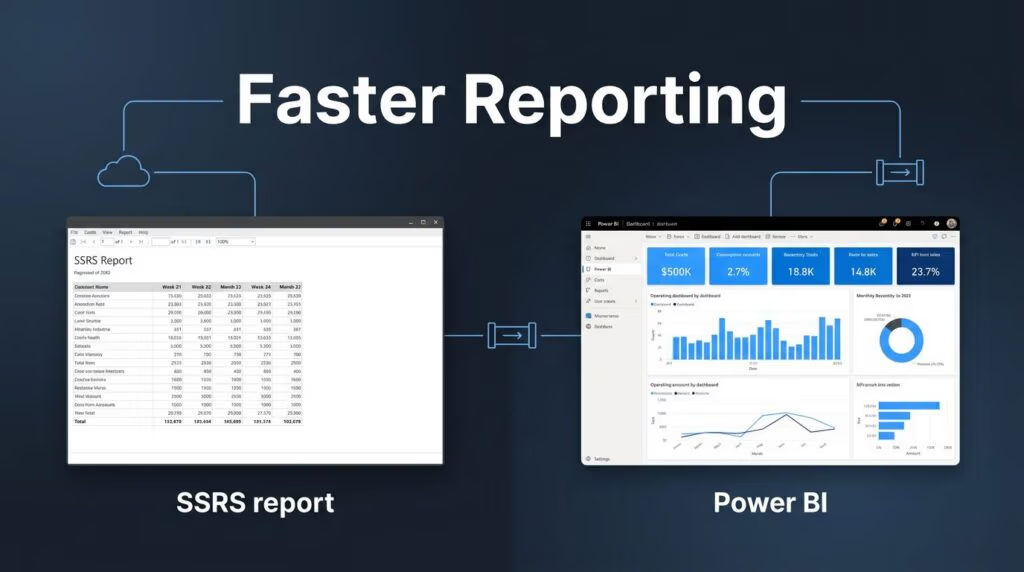
Most teams focused on operational reporting are not choosing between old and new. They are choosing between fixed output and usable insight. When you compare SSRS vs Power BI, the wrong answer usually starts with treating every report the same.
The shift from traditional SQL Server Reporting Services to modern Business Intelligence platforms is not about replacing every document. If your team prints invoices, emails compliance packs, and tracks live order exceptions, one platform will not cover every need equally well. The better move is to match the reporting style to the job, then build a data platform that does not trap you in manual exports and Excel workarounds.
Key Takeaways
- Match the tool to the task: Operational reporting success relies on using paginated reports (SSRS) for fixed-layout, print-ready documents and interactive dashboards (Power BI) for exploratory analysis.
- The future of SSRS: While support for SSRS 2022 continues through 2033, Microsoft has ceased development on the SSRS product line, making long-term reliance on it as a sole platform unsustainable.
- The hybrid approach: Most mature organizations maintain both reporting styles, often utilizing Power BI Report Server to house legacy RDL files alongside modern, interactive Power BI content.
- Modernizing with Fabric: Moving beyond individual reports to a unified data platform like Microsoft Fabric allows teams to centralize business logic, improve governance, and enable real-time operational insights.
What changed for reporting teams after SSRS lost its future
The biggest shift is simple. Microsoft removed SSRS from SQL Server 2025, so no new SSRS product line is coming after SQL Server 2022. That does not mean your existing reports stop working tomorrow, because SSRS 2022 remains supported with security updates until January 11, 2033. It does mean long-term planning can no longer stop at the idea that you will keep SSRS forever.
Microsoft’s primary on-premises answer is Power BI Report Server. For operational teams, that matters because Power BI Report Server keeps the paginated RDL reporting pattern alive while it also serves as a robust engine to render Power BI reports. In other words, Microsoft did not erase pixel-perfect reporting. It moved it under a broader reporting stack.
That shift changes the conversation for IT and operations leaders. Five years ago, the question was often whether you should replace SSRS. In 2026, the better question is which reports belong in paginated format, which belong in interactive dashboards, and where the shared data model should live.
Cost and infrastructure follow that decision. Maintaining an on-premises footprint still makes sense when you already run SQL Server, need tight control over your local environment, and distribute high volumes of scheduled reports. Meanwhile, the Power BI Service becomes more attractive when business users need self-service filtering, cloud data access, and collaboration across Teams, SharePoint, Excel, or PowerPoint.
Where SSRS still fits operational reporting
SSRS remains a powerful choice when formatting requirements are non-negotiable. When you need to generate pixel-perfect documents that must print the same way every time, land cleanly in PDF or Excel, and preserve exact spacing, SSRS remains superior to Power BI. Finance, healthcare, manufacturing, and regulated operations continue to depend on this style for statements, forms, shipping documents, and audit-ready outputs. To create these complex layouts, developers often rely on Microsoft Report Builder to design sophisticated paginated reports that meet strict corporate standards.
These print-ready reports also work exceptionally well for batch distribution. Many teams still send thousands of records through scheduled subscriptions, especially when the audience requires a static document rather than an interactive experience. In these scenarios, interactivity is not a benefit, but rather an unnecessary layer of complexity.
This quick comparison highlights where each tool excels:
| Reporting need | SSRS or PBIRS | Power BI |
|---|---|---|
| Fixed layout and print control | Best fit | Limited |
| Large paginated reports | Best fit | Possible, but not ideal |
| Interactive filtering and drill-down | Basic parameters | Best fit |
| Live dashboards and KPIs | Weak | Best fit for data visualization |
| Broad cloud data connectivity | Limited | Strong |
| On-prem only delivery | Strong (RDL files) | Possible with PBIRS |
The main point is not that SSRS is outdated for every use case. Instead, it is that SSRS is narrow by design. A recent 2026 comparison of Power BI and SSRS frames the same split clearly: paginated reporting and interactive analytics solve different problems. Operational teams usually need both, but they should stop forcing one tool into the other’s role. By choosing the right format for the right task, you ensure that your print-ready reports deliver consistent value while your modern analytics platforms drive insights.
Why Power BI is better for daily operations
Power BI wins when users need to ask follow-up questions. A warehouse manager wants to view open exceptions by shift. A service leader wants to see tickets by queue, then by region, and finally by technician. An operations VP wants one KPI page on both desktop and mobile. While SSRS can parameterize these needs, Power BI Desktop is built to facilitate this level of self-service analytics.

Power BI also handles the full reporting workflow better for modern teams. Data comes in through Power Query, which cleans, combines, and reshapes source data. Then, a relational model connects facts and dimensions, DAX measures define shared business logic, and the final layer of data visualization turns that model into interactive dashboards. That separation matters because operational reporting breaks when every report carries its own copy of business rules.
The platform is also far more flexible on data access. It connects to CSV files, SQL Server, Oracle, Azure services, SharePoint, Salesforce, web feeds, and other cloud systems. Row-level security helps regional leaders see only their territory. Mobile layouts matter because operational reporting no longer lives only on a desktop in headquarters.
Real-time operations are where the gap grows wider. Power BI, especially with Fabric Real-Time Intelligence, can surface live metrics from real-time data, trigger alerts, and feed information to users on any device. Microsoft has shared cases like One New Zealand, where Power BI views on customer data helped teams respond to inquiries nearly twice as fast. Retail stories such as Iceland Foods show the same pattern: less delay, less report prep, and more action while the event still matters.
The right answer is usually a hybrid reporting model
Most operational teams should not force a winner-take-all choice. They should assign the right format to the right workflow. Keep paginated reports for invoices, compliance packs, and controlled distribution. Use Power BI for live status, exception monitoring, root-cause analysis, and manager self-service.
The real decision is not SSRS or Power BI. It is which reporting pattern belongs to each business process.
For some organizations, PBIRS is the right bridge. It keeps on-prem paginated reporting in place while allowing selected Power BI content to live alongside it. If you are using the Enterprise edition, you may find that this approach provides better value when evaluating your ongoing licensing costs. A long-running BI community discussion lands on the same practical outcome: most mature teams keep both patterns, even as they modernize the platform underneath.
That underlying platform is where Microsoft Fabric enters the picture. Once operational teams want shared metrics, governed data pipelines, real-time dashboards, and one place for data access, the discussion moves beyond report authoring. It becomes a question of data platform modernization, cloud-based analytics modernization, and long-term control over performance, security, and cost. Ultimately, this approach creates a more robust foundation for your organization’s Business Intelligence strategy.
When reporting modernization turns into a Microsoft Fabric project
This is where Spargent Analytics fits. Spargent provides Microsoft Fabric consulting services for U.S. mid-market and enterprise companies that either need extra senior capacity or do not have an internal analytics team at all. If you need Microsoft Fabric consultants to extend your BI group, or a Microsoft Fabric expert to unblock architecture and delivery, Spargent can step in quickly. If you need a Microsoft Fabric implementation partner, Spargent can own the program from design through support.
That work often starts with Microsoft Fabric migration planning. Some clients want to move toward a cloud-based architecture as they migrate to Microsoft Fabric from fragmented SQL, Excel, and point-reporting workflows. Others need a Power BI to Microsoft Fabric migration, moving legacy RDL files into modern, unified environments where KPIs live in shared Fabric semantic models instead of scattered files. Spargent’s Microsoft Fabric data engineering services cover ingestion, Fabric Data Factory consulting, Dataflows Gen2 implementation, Microsoft Fabric Lakehouse design, Microsoft Fabric Warehouse design, and OneLake consulting. When operational teams need live telemetry and alerts, Spargent also builds Fabric Real-Time Intelligence flows and embedded analytics solutions that connect streaming data to custom business reporting.
Governance and performance are where many projects either mature or stall. Spargent handles Microsoft Fabric governance, Power BI semantic model optimization, and Microsoft Fabric performance optimization. We also assist with Power BI Premium capacity planning so teams can control refresh times, workload spikes, and sharing risk. After go-live, Microsoft Fabric managed services keep the platform supported without forcing a company to hire a full internal data team.
Spargent’s model is built around the needs of U.S. companies and delivered by senior Microsoft Fabric specialists from Europe. That EU-to-USA delivery approach gives clients strong communication, senior engineering depth, and a more efficient cost structure than many traditional USA-only consulting models. For buyers comparing broad labels like data engineering consulting USA or Microsoft Fabric consulting USA, that delivery model often translates into faster implementation, better ROI, and less dependency on expensive local hiring.
If your reporting backlog already touches governance, migration, or platform design, it is time to Book a Microsoft Fabric Discovery Call. If the platform is live but refresh times, workload consumption, or report speed are slipping, start with Optimize Fabric Performance and Cost.
Frequently Asked Questions
Is SSRS being discontinued immediately?
No, SSRS 2022 remains fully supported with security updates until January 11, 2033. While there will be no new versions of SSRS released after the 2022 edition, your existing reports will continue to function in their current environment for years to come.
Can I move my SSRS reports into Power BI?
Yes, you can leverage Power BI Report Server to host your paginated RDL files alongside Power BI dashboards. This allows you to consolidate your reporting infrastructure into a single platform without having to rewrite every legacy document.
Which tool is better for financial statements and invoices?
SSRS is the superior choice for these documents because it provides pixel-perfect control over layout, spacing, and formatting. Power BI is designed for interactive data exploration rather than the rigid, print-ready output required for formal business documents.
Why should we consider migrating to Microsoft Fabric?
Microsoft Fabric is ideal for teams that want to move away from fragmented data sources and inconsistent business logic. It provides a unified, governed environment that supports both paginated reporting and advanced, real-time analytics, replacing the need to manage multiple disparate reporting tools.
Final thoughts
Operational reporting teams rarely fail because they picked the wrong data visualization. They struggle because report type, data model, and platform strategy drift apart.
SSRS still belongs in your stack when exact layout and controlled distribution of paginated reports matter most. Power BI remains the stronger choice for interactive operational reporting, and Microsoft Fabric becomes the logical next step when your requirements evolve into a broader platform challenge. Success in operational reporting ultimately depends on aligning the right tool with the specific needs of your business users.
