

Most small businesses don’t have a data team, but they still need clean numbers. When sales sit in Excel, finance lives in Business Central, and customer data hides in a CRM, reporting turns into a weekly scavenger hunt.
That’s why Microsoft Fabric gets attention. Within your Microsoft Entra tenant, Microsoft Fabric provides a single OneLake environment for all data assets, bringing data storage, cleanup, and Power BI reporting into one place. Still, it isn’t the right first move for every company. The best way to judge it is to focus on the daily work it can take off your team’s plate.
Key Takeaways
- Microsoft Fabric unifies messy data from Excel, Business Central, Dynamics 365, and more into a single OneLake for small businesses, cutting manual cleanup and building trust in sales, finance, and customer reports.
- Choose Fabric when data prep from multiple sources is the pain point; stick to Power BI Pro for clean data, basic dashboards, and small teams to avoid unnecessary capacity costs.
- Costs start at ~$263/month for F2 testing plus $14/user Power BI Pro, scaling to $4,096 for F64 production; use trial capacity for low-risk pilots before committing.
- Start with a tight pilot: one dashboard on sales/margin/collections from 2-3 sources, 5-8 metrics in a Lakehouse and semantic model, reviewed after 30 days.
- Success hinges on clear metrics, named owners, and scoped reports, not advanced features, proving ROI by replacing exports and delays.
What Microsoft Fabric actually does for a small business
Microsoft Fabric is best viewed as a shared back room for data in a unified workspace. Instead of emailing spreadsheets and stitching CSV files together, you can pull data into one service like the Lakehouse, clean it with Dataflows Gen2, model it, and publish dashboards from the same environment.
For a small business, that matters when numbers come from too many places. Sales may sit in Dynamics 365, invoices in Business Central, product data in SQL, and ad spend in a SaaS app.
Microsoft Fabric helps you stop rebuilding the same logic in four places. That makes sales reporting, finance dashboards, and customer analytics easier to trust for your SMB team.
It also lowers the jump between raw data and a finished report. A small IT lead, analyst, or power user can start with simple pipelines and a small shared model. If you want a plain-English primer, this beginner’s guide to Microsoft Fabric is a helpful extra read.
Think of it like a prep kitchen. Your dashboard is the plated meal, but Microsoft Fabric handles the chopping and sorting into Parquet format and Delta tables behind the scenes, along with storage. As a result, you spend less time fixing exports and more time reading the numbers.
Still, Microsoft Fabric does not fix bad definitions or weak habits. You still need clear metrics, named owners, and a short list of reports that matter. Start there, and the tool becomes useful. Skip that step, and even a strong setup can turn into an expensive filing cabinet.
When Fabric makes sense, and when Power BI alone is enough
The key choice is simpler than it sounds. If the pain starts before the dashboard, Microsoft Fabric may help. If the pain starts after the data is already clean, Power BI alone may be enough.
Power BI works well for SMBs with one main source, a few reports, and light sharing. A five-person SMB team reading from Business Central or a clean SQL database often doesn’t need lakehouse storage, pipelines, and Fabric capacity charges yet. If your whole process is one Excel file and one monthly chart, Microsoft Fabric is probably too much for now.
If your data is messy, Microsoft Fabric helps. If your data is already clean, Power BI Pro may be the simpler buy.
For a quick cost view, use these April 2026 US pay-as-you-go figures as a starting point. Note that Microsoft Fabric capacity is measured in capacity units (CUs), which support bursting for short workload spikes and smoothing to average usage over time, helping manage variable demands efficiently.
| Option | Approx. monthly costs | Best fit | Watch-out |
|---|---|---|---|
| Power BI Pro only | $14 per user | Clean data, basic dashboards, small teams | You still need a separate way to prep and store data |
| Power BI Premium Per User | $24 per user | Individual advanced needs, Direct Lake mode for faster reporting | Limited sharing without extra Fabric capacity |
| F2 capacity + Power BI Pro | $263 + $14 per user | Testing, light consolidation, under 10 users | Limited headroom, sharing still needs Power BI Pro |
| F64 SKU + Power BI Pro | $4,096 + $14 per user | Growing SMB production, 50+ users | Higher entry cost, but scales well |
| F64 SKU alone | $4,096 | Teams needing SQL analytics endpoint and semantic models | Free user sharing included, no Power BI Pro required |
Prices change by region and contract, storage is extra, and a yearly commitment via reserved instances can cut monthly costs, so check current numbers before buying. Still, the pattern is clear. Microsoft Fabric starts to earn its keep when it replaces manual exports, repeated Excel cleanup, and delayed month-end reporting. Pay-as-you-go Fabric capacity lets you pause when idle, while the F2 capacity suits early tests before scaling to an F64 SKU.
Because F2 capacity through F32 still need Power BI Pro or Premium Per User for sharing, tiny firms can hit cost limits fast. On the other hand, Microsoft Fabric becomes easier to justify with an F64 SKU when several people depend on the same shared data model, Direct Lake mode speeds up queries on semantic models, and the SQL analytics endpoint unlocks lakehouse power. If you’re comparing reporting-only needs against a broader data stack, this Power BI vs Fabric buyer’s guide is useful. For a smaller-company viewpoint, see this small-business take on whether Fabric is necessary.
A low-risk first project for Microsoft Fabric small business teams
A smart first project is a weekly sales, margin, and collections dashboard in a dedicated workspace. It can pull order files from Excel, invoice data from Business Central, customer info from Dynamics 365, and product tables from SQL. The scope stays clear, yet the result matters to sales, finance, and the owner.
Avoid your hardest use case first. Don’t start with data engineering, Spark notebooks, AI features, real-time feeds, or every SaaS app in the company. Start with one report that already exists in Excel and takes too long to update. For many small business teams, trial capacity is the least risky place to test, because you can start small and pause if the pilot stalls.
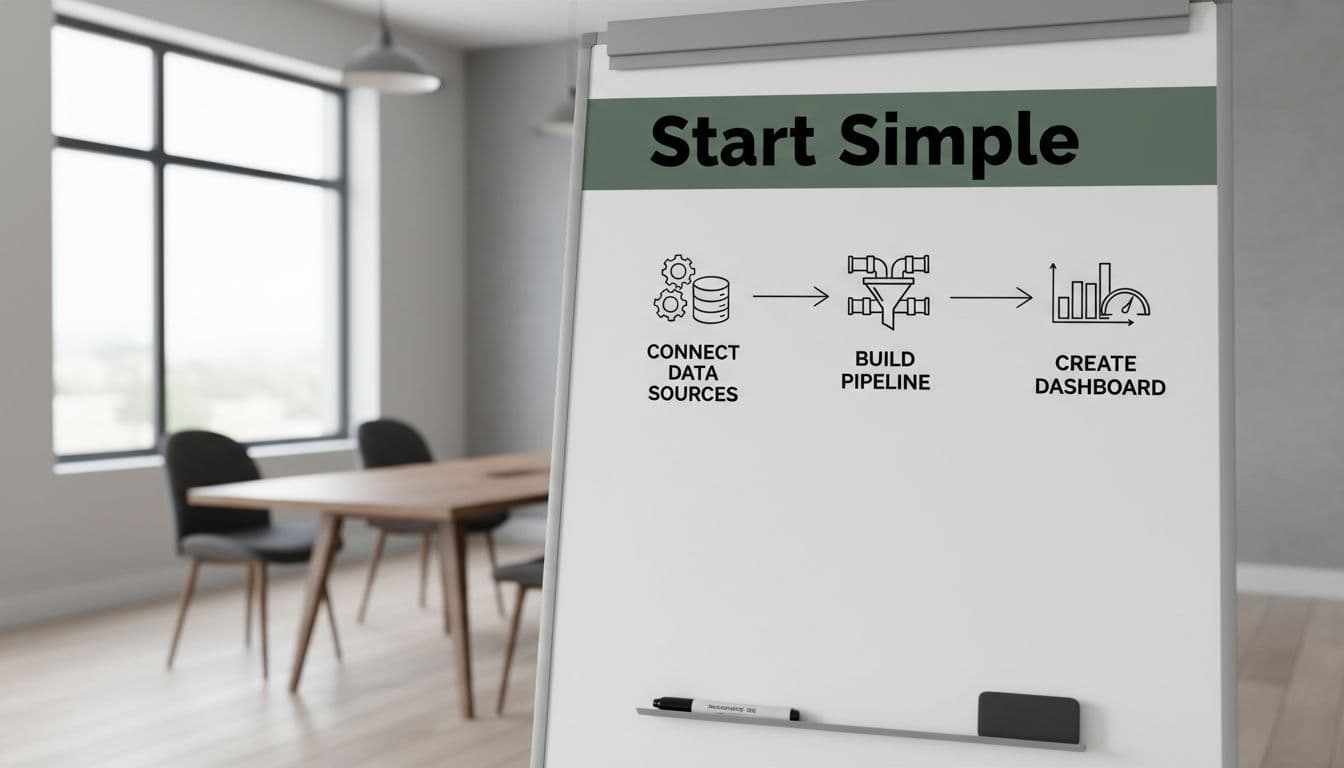
Keep the pilot tight with this checklist:
- Pick one business question, such as what you sold, at what margin, and who still owes you money.
- Limit the pilot to two or three source systems.
- Land the raw data first into the Lakehouse (contrasting a traditional Data Warehouse), then clean it once in a shared semantic model.
- Define five to eight metrics, no more.
- Build one dashboard for one audience, not for every department.
- Review time saved, data errors, and report usage after 30 days, all within trial capacity.
If the pilot works, then add automation, more sources, and extra dashboards in the workspace. If people still export everything back to spreadsheets, the project was too broad or the report missed the real question. For another small-company angle, this overview of Fabric for SMBs has a few useful examples.
A Microsoft Fabric rollout works best when it starts with pain you can name. Not “we need more tools,” but “sales, finance, and customer numbers don’t match.”
Pick one report, keep the scope tight, and prove the value first with semantic models. If that pilot cuts manual work and builds trust in the numbers, Microsoft Fabric has earned the next step, delivering clear Return on Investment as you scale Fabric capacity. For future iterations, consider Azure DevOps for version control.
Frequently Asked Questions
What does Microsoft Fabric do for small businesses?
Microsoft Fabric acts as a shared data back room, pulling sources like sales from Dynamics 365, invoices from Business Central, and Excel files into OneLake for cleanup via Dataflows Gen2 and Power BI dashboards in one workspace. It stops rebuilding logic across tools, making reports easier to trust. Skip it if your data is already clean.
When is Microsoft Fabric better than Power BI alone?
Fabric helps if pain hits before dashboards, like stitching CSVs or weekly exports; Power BI Pro fits clean single sources and light sharing at $14/user. Fabric’s lakehouse, pipelines, and Direct Lake mode justify costs for growing multi-source needs. Test the difference with a simple pilot.
How much does Microsoft Fabric cost for SMBs?
F2 capacity starts at ~$263/month + Power BI Pro ($14/user) for testing; F64 SKU is ~$4,096/month for production sharing without Pro licenses. Pay-as-you-go allows pausing idle time, reserved instances cut costs, and storage is extra—check current regional pricing. Trial capacity enables risk-free starts.
What’s a good first project in Microsoft Fabric?
Target a weekly sales, margin, and collections dashboard from 2-3 sources like Excel orders, Business Central invoices, and SQL products. Land raw data in Lakehouse, clean in a shared semantic model with 5-8 metrics, build one dashboard, and review time saved after 30 days. Keep scope tight to prove value fast.
Can small businesses try Microsoft Fabric for free?
Yes, trial capacity lets you test a pilot workspace without upfront costs, pausing when idle. It’s perfect for one report that currently wastes time in Excel, showing ROI before scaling to F2 or F64. Combine with free Power BI trials for full low-risk validation.
The Only Consultancy Focused 100% on Microsoft Fabric
Most data consultancies treat Microsoft Fabric as just one tool among many. At Spargent Analytics, it’s the only platform we work with—so our depth goes far beyond generalist teams.
Our DP-600 and DP-700 certified engineers bring hands-on experience across the full Fabric stack: Data Engineering, Data Warehousing, Real-Time Intelligence, Data Science, and Power BI. Whether you’re migrating from legacy SQL Server, building a greenfield Lakehouse, or scaling an existing Fabric environment, we deliver solutions that are practical, reliable, and built to last.
We work fully remotely with clients across USA and beyond, with flexible engagement models tailored to your team, timeline, and goals.
Ready to unlock the full value of Microsoft Fabric?
Book a free 30-minute discovery call. We’ll review your current setup, identify quick wins, and outline a clear, Fabric-first roadmap tailored to your business.
